
A waterfall is a sheet of water pouring off a lake's rim, or off a spring on a cliff, running down the slope with foam, mist and a roar of its own. You draw the crest where the water starts, and Traxx shapes the fall to the ground below it.
Needs: Community Patch #4.
Note: a track with waterfalls should still load in the original game, just without them. Nobody has tried it there, which is why we say "should".
For our example, we'll let the lake from the Lakes page spill over its rim and run down the hillside below. You need the OpenGL view (View → Options, General tab, Use OpenGL Renderer) and Edit Terrain mode — Draw Waterfall is not offered in the software view.
Move the pointer to the lip of the lake — the rim where the water should leave — and right-click. Choose Draw Waterfall.
The menu item appears only in Edit Terrain mode, in the OpenGL view, when the right-click lands on ground the 3D view can pick. A track can hold up to 64 waterfalls; at the limit Traxx says so.
The status bar now reads "Waterfall: 0 points — click along the edge the water pours over".
Left-click along the edge, from one end to the other. A fall needs 2 to 8 points. Your clicks do not touch the terrain while you draw.
Points must be at least 2 ft apart, and the crest must not turn by more than 90 degrees at any point. A bend sharper than that is shown in the Problems list when you finish.
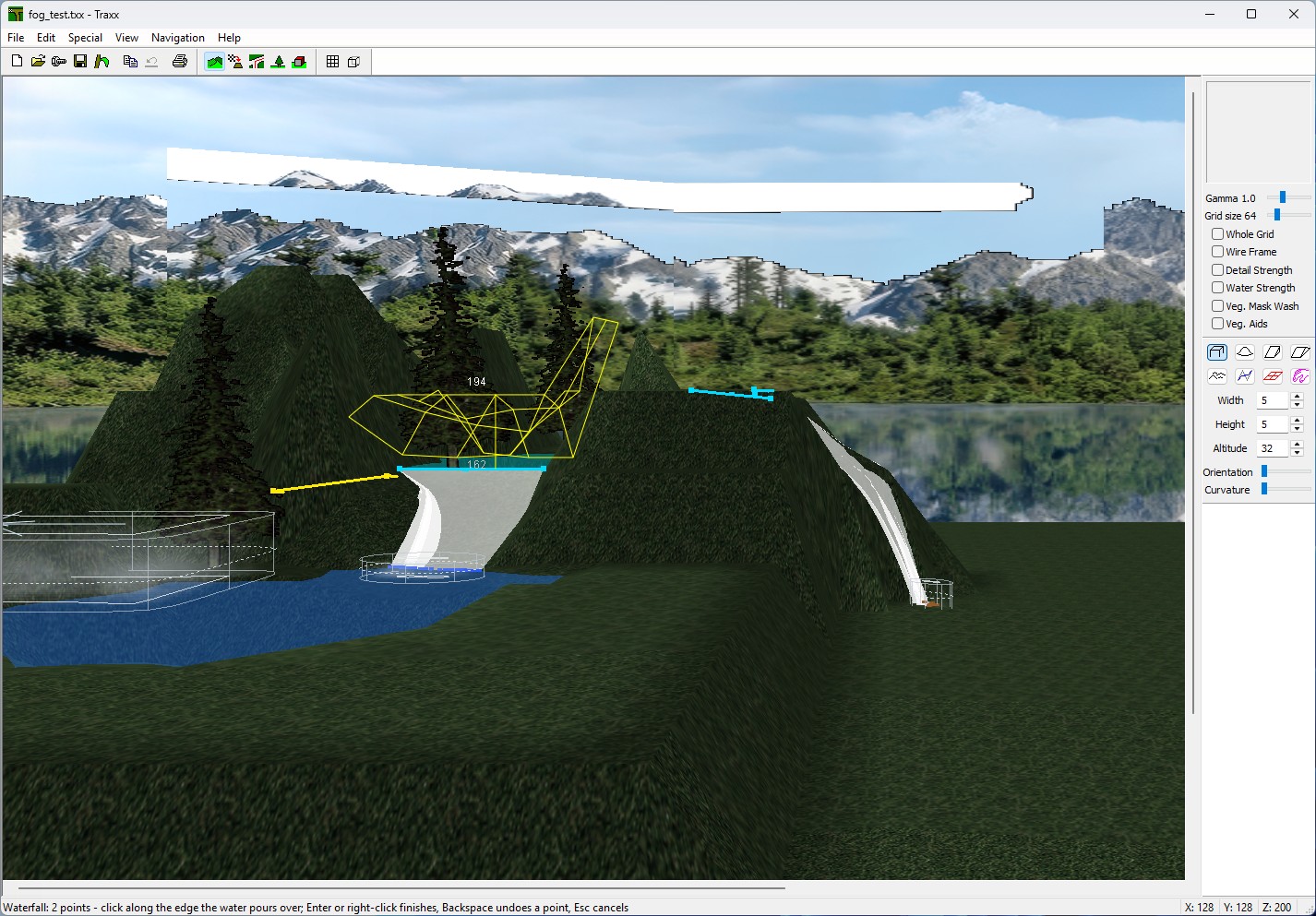
An arrow shows which side the water leaves by. If you clicked the rim from the wrong end, the arrow flips to put the flow on the right side.
When you finish, Traxx looks for a lake. If any crest point is within about 48 ft of one, the fall is a lake fall: it takes its water and its height from that lake (the highest one in reach, if two are close). The crest snaps onto the lake's waterline along its lip, and Traxx picks the flow side for you — out of the lake, and downhill.
If there is no lake near, the fall is a spring: water that starts from a height you choose. It begins just above the ground at your first point.
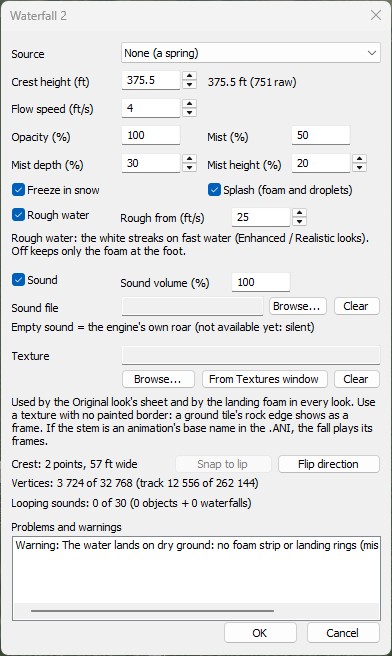
Then the Waterfall window opens, titled Waterfall 1. The 3D view changes live as you edit.
Press OK to keep the fall, or Cancel: a new fall disappears, an edited one goes back as it was. After OK, Ctrl+Z undoes it.
A lake fall can be given a spillway notch, so the water really leaves the lake at its waterline. Put the crest right on the lake's edge, within a foot of it (Traxx snaps it there for you). Then set the ground points along that edge — the lip — to exactly the lake's height, and let the ground just beyond slope away downhill; the water then runs out over that edge. The lake still refuses to leak anywhere else. On Classic 8-bit ground the lip can only match a lake set at a whole step, so give a lake that feeds a fall a whole-number height.
The Problems list does the checking. It tells you if a lip point is below the lake's height (an error — raise it), if one is above it (a warning — the water has to climb), or if the ground beyond the notch is too flat (a warning — lower the far side by at least two steps).
Each fall with mist also shows a light outline of that mist in the 3D view. A fall with errors has a red crest; the one you are editing shows in yellow.
Edit a lake's height and every fall on it moves with it; the status bar says so. Delete the lake and its falls become springs at the same height, and Traxx tells you how many. Write POD refuses a track with a broken waterfall, in a window called Waterfalls need fixing, naming the fall.
The game plays at most 30 looping sounds — your objects' first, then the falls'. Past 30 the Problems list warns that some falls will be silent. Mist shares the game's fog slots with any fog objects you have (see Fog).
Right-click near the crest and the menu gains three items: Edit Waterfall..., Redraw Waterfall Crest (draw the points again, keep the settings) and Delete Waterfall. Delete asks nothing; Edit → Undo brings it back.
Note: these items only appear when the right-click lands within about 12 ft of the crest, on ground the 3D view can pick. If they are missing, right-click a little closer, on the ground at the lip.
See also: Water Level, Water Tracks.
| << Lakes << | >> Lighting (New) >> |
