
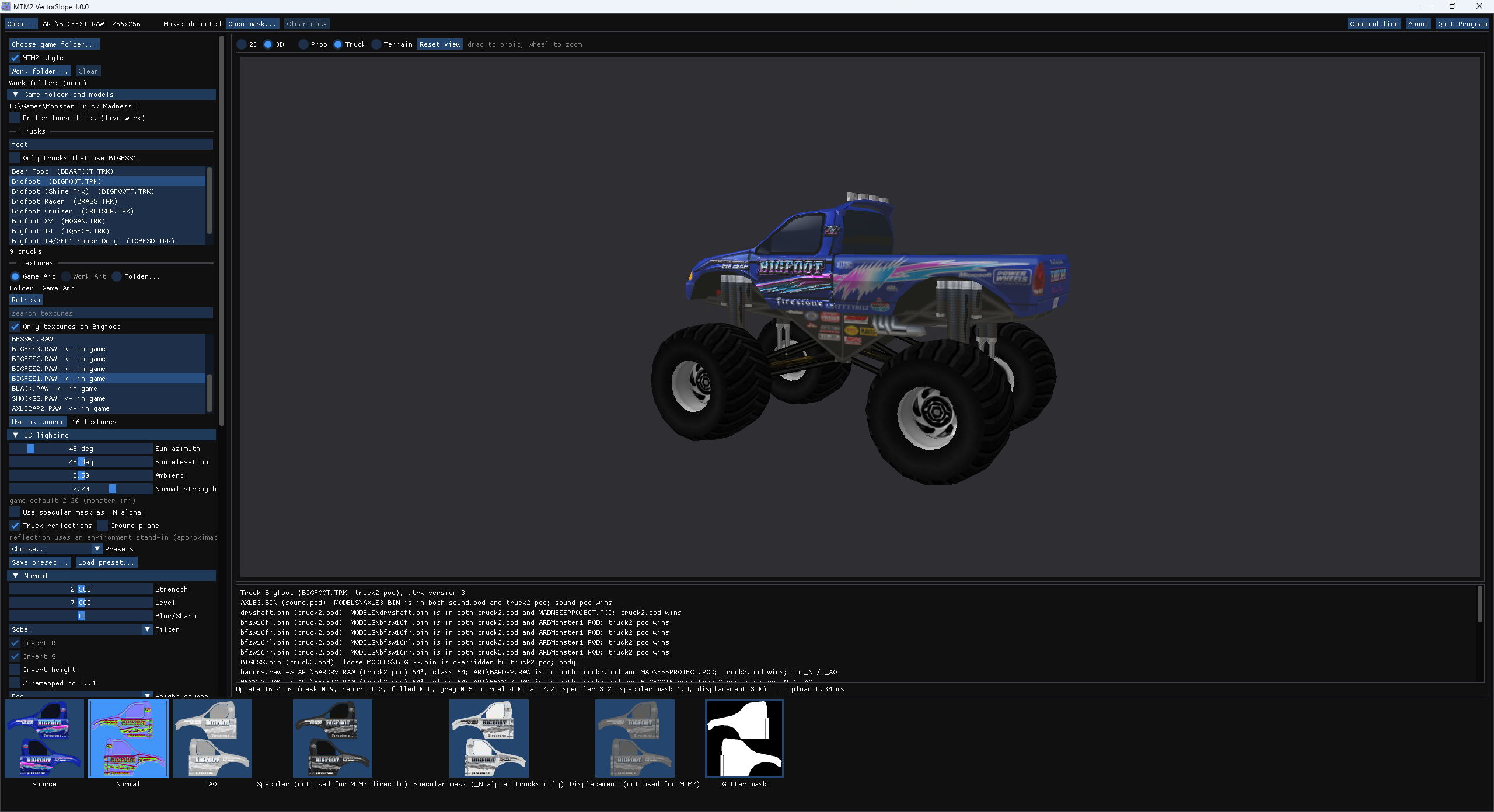
Normal maps for Monster Truck Madness 2, made the way the game reads them. Open a
texture, move a few sliders, and see the result straight away on a game model, a
patch of terrain or a whole assembled truck, lit the way the engine lights it. When
it looks right, Save writes <name>_N.png (and _AO
if you want it) straight into your Art folder.
It is a native Windows program, offline, with no installer. It needs nothing but the texture you want to work on: Monster Truck Madness 2 is optional. With the game folder chosen, VectorSlope also reads the game's own textures, models and trucks, and the pods they live in, so you can preview your work next to the stock art.
VectorSlope.exe. The zip holds the program, the
command-line tool VectorSlopeCLI.exe, a readme and the licences.
_N) — the one that matters. In the game's
orientation, with the specular mask in its alpha channel._AO) — optional; the game reads it
too.General normal-map tools get three things wrong for this game. VectorSlope gets them right by default:
<lower-case name>_N.png, with the specular mask in the alpha.
MTM2 style does all of that with one checkbox.New to it? Getting started walks through a first session, from unzipping to seeing your normal map in the game.
