
A track has always had one water level, flooding everything below it. Now it can also have lakes: a mountain tarn, a pond on a plateau, a reservoir behind a ridge — each sitting at its own height, above the main water. Traxx is where you make them, and Traxx will not let you make a lake that leaks.
Needs: Community Patch #4.
Note: the original game still loads a track with lakes. It just does not draw them, so the basins are dry there.
For our example, we'll put a lake in the hollow on the plateau behind the start. Before you begin, switch to the OpenGL view (View → Options, General tab, Use OpenGL Renderer) — that is where lakes are drawn — and make sure the main water is set below the plateau (see Water).
A lake needs a basin: a hollow with a rim all the way round it. Click Edit Terrain (the first of the five edit-mode buttons on the toolbar) so you are in terrain mode, then move the pointer over a square in the bottom of the hollow. That square is highlighted.
Right-click on the highlighted square and choose Create Lake...
Traxx fills the basin to the highest level it can hold without spilling over, and opens the Lake window. The 3D view shows the water at once.
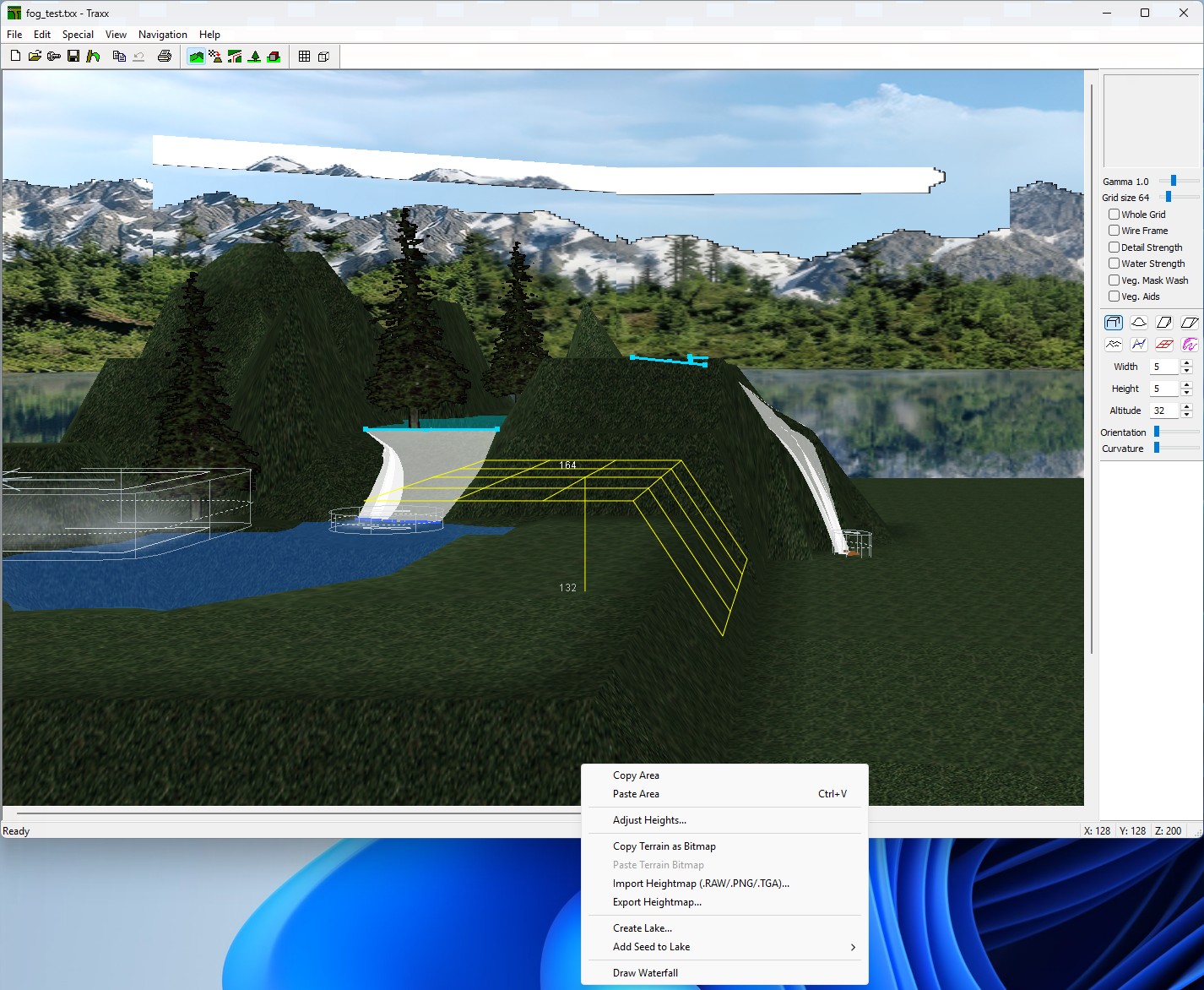
If it cannot, it tells you why and makes nothing: This square drains into the main water (the hollow is open to the main water, so it is part of it), or No basin here — the ground falls away.
The window is titled Lake 1 (the number of the lake). Going down it:
24.25 and = 48.5 ft. Use the arrows or type. The 3D view follows live.Note: how the reflections work. The game always makes one mirror image at the lowest water — the main water, or the lowest lake if the track has none. A lake close to that height (within 10 ft) uses the same image, corrected for its own height, and looks right. A lake more than 10 ft higher can get a mirror image of its own, but only the 2 nearest such heights you can see get one at any moment. The others fall back to the shared image, which is less exact the higher they sit. Lakes at exactly the same height count as one.
Press OK to keep the lake. While the Problems list is not empty, OK will not close the window. Press Cancel and a new lake disappears again (an edited one goes back as it was).
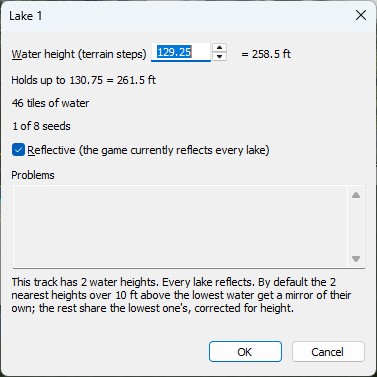
Tip: pressing Enter in the height box applies the number and leaves the window open, so you can see what Traxx kept.
Right-click inside a lake and the menu changes:
A lake can spread over several separate hollows that share one water height. Each hollow has a seed — the square you started from. Right-click a square in the next hollow (outside any lake) and choose Add Seed to Lake, then pick the lake from the list ("Lake 1 — 24.25"). A lake takes up to 8 seeds. If the new square would break the lake, Traxx takes it back out and says why.
Every lake command can be undone.
This is the point of doing it in Traxx. A leaking lake would drain, so Traxx does not let one exist.
In the OpenGL view each lake is a see-through sheet in its own tint, with the same opacity as the main water (see Water). A lake with a problem turns magenta, so it cannot pass for water.
View → Vegetation → Show Lake Walls outlines the rim round each lake at the waterline — handy for seeing where it is lowest. When a lake does leak, a bright yellow post with an X marks the spot where the water gets out, and the Problems list names the square. Orange posts mark places where the ground sits exactly at the water's height; the Problems list asks you to move them a quarter step.
The rules, in short:
Note: waterfalls that start on a lake follow its height, and deleting a lake turns its waterfalls into springs (see Waterfalls). If you planted trees before making a lake, Write POD warns when any now stand in its water — plant them again (see Vegetation).
See also: Water Level, Components.
| << Water << | >> Waterfalls >> |
