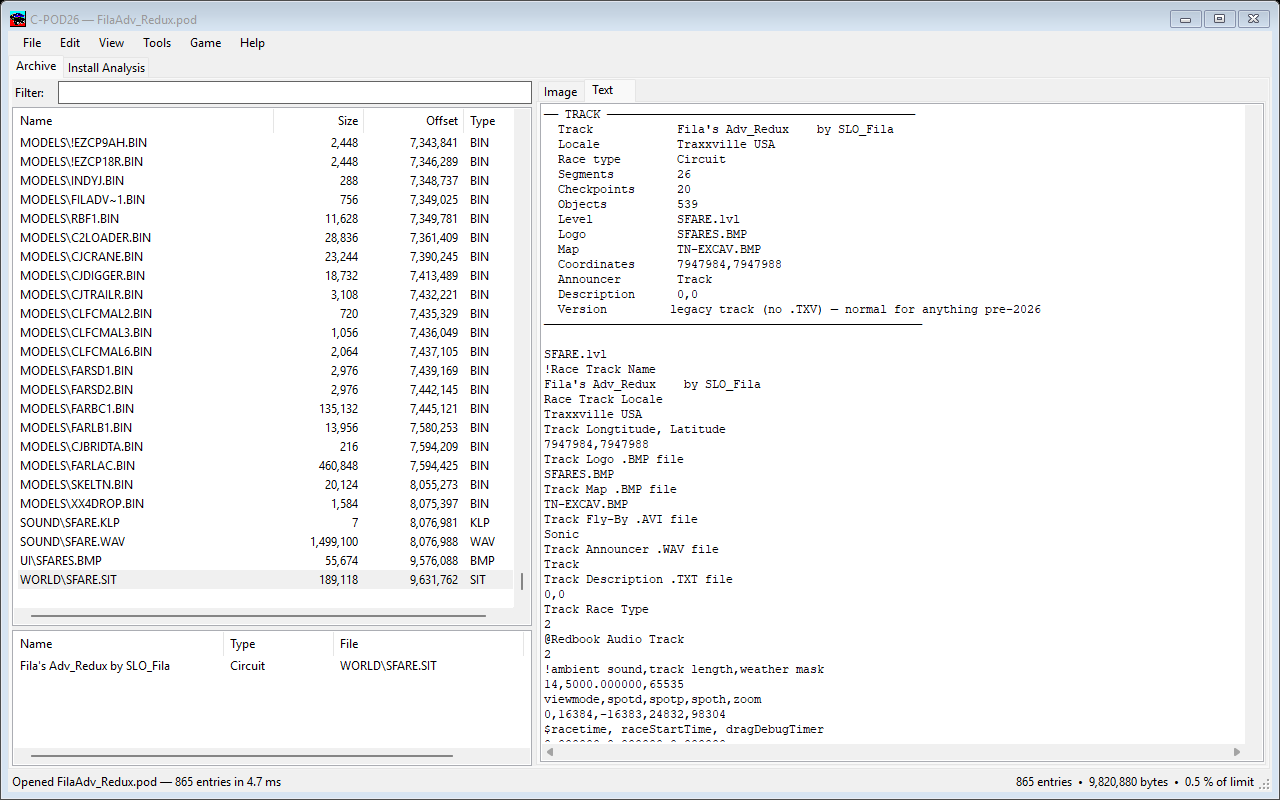
C-POD is one window with two tabs. Archive is the pod you are working on; Install Analysis looks at your whole MTM2 folder at once.
The Archive tab lists every file in the pod with its size, offset and type. Type in the Filter box to narrow the list as you type. Click any column to sort by it. Below the list, a second strip shows the tracks and trucks the pod contains, by the name they carry in the game — with the file each one comes from, and whether it is enabled or disabled.
The panel on the right previews whatever you select: a texture, a palette, a
model you can spin with the mouse, a track's map with its checkpoints plotted, or
the plain text of a .SIT. Nothing needs a separate window to look
at, and pressing F11 enlarges whatever is showing.