
Select any .BIN and it is drawn on the right. Drag to rotate, and:
| Key | Does |
| T | textured |
| F | flat |
| W | wireframe |
| V | show the vertices |
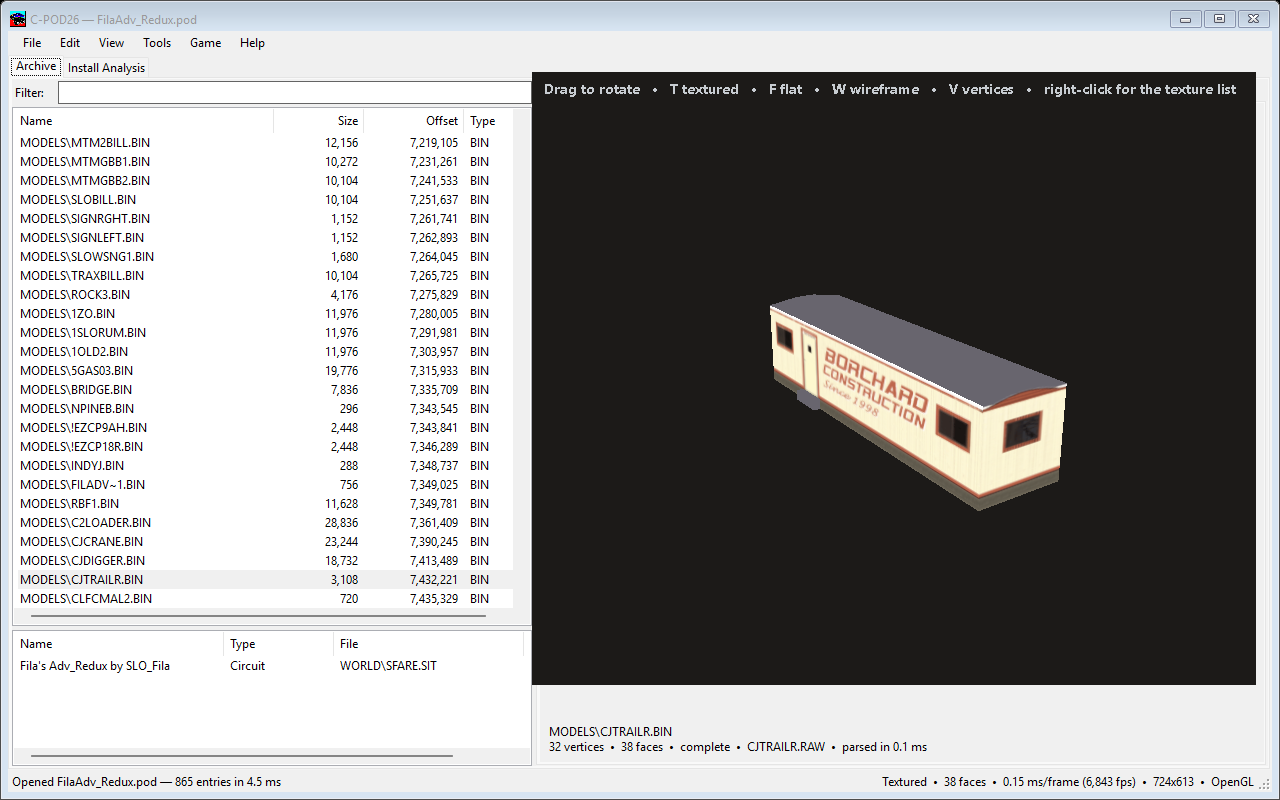
The pod you are editing first — so your work in progress wins — then everything else in your load order, first match taken. That is what the engine does when it opens a file, and doing anything less leaves perfectly good models previewing untextured, which looks like a decoder fault and is not.
Three ordinary situations need it:
MODELS\OTSTRT.BIN
names three textures, none of which live in the pod holding the model.For this to work, C-POD has to know where your game is: Game → Locate MTM2 Folder.
Right-click a model → Textures lists every texture the model names and which pod each one actually came from. That is how you find the typo in a model that renders untextured in the game: the list shows the others resolving from somewhere sensible and the broken one resolving from nowhere.
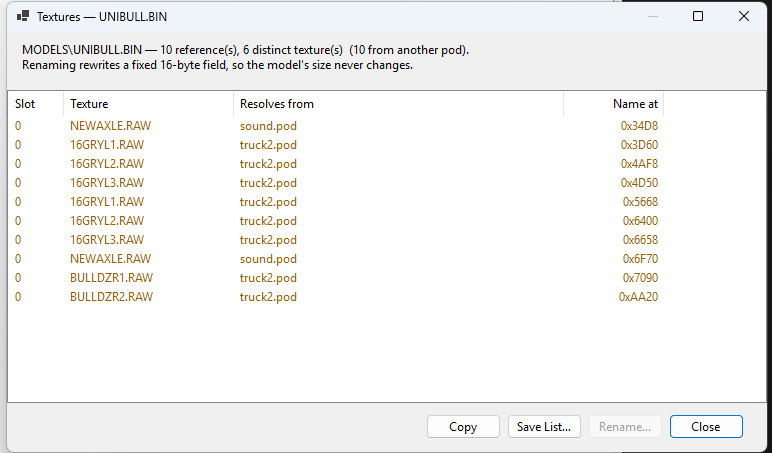
Renaming a texture from that list rewrites the name inside the model. The record is a fixed-width field, so the model's length never changes and the pod saves as a patch rather than a rebuild. This is how you retexture somebody else's mesh for your own art.
