
Put the truck's files in their proper folders and open the .TRK.
C-POD works out everything else the way the engine does: the body, its levels of
detail, the six or four wheel models it builds from the one base name in the
file, the axle, and every texture each of those models uses — along with
the palettes and the normal and occlusion maps that travel with them.
It does not guess at that list. The manifest is taken from the engine's own extract writer, so what goes in the pod is what the game says a truck pod contains.
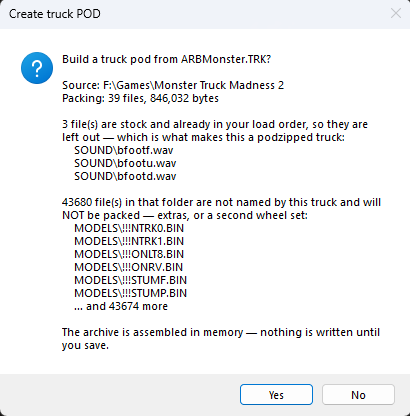
Anything it could not find is sorted into two kinds, and the difference matters:
It also counts anything in the folder the truck does not mention, and will not pack — an unused texture left over from an earlier paint, or a whole second set of wheels a newer truck carries so it still runs on an older engine. Those are correctly left out, but an author rebuilding a pod they extracted would lose them without being told, so you are told.
When the file list refreshes, the pod is built. Now would be a good time to edit the comment. Then Save As to give it a name and put it where you want.
.bin extension in the base file name would leave the
low-detail models out of the pod. That was true of the original program. C-POD
strips the extension before working out the detail-level names — and
appends .bin when it is absent, as the engine does — so the
base name works written either way.
