
A truck can carry a 3D cockpit of its own: a cab model, two needles, a steering
wheel, a gear lever and lit lamps, laid out by a .CPT file in
DATA\. The .TRK names the .CPT in a last section of
its own:
      Cockpit
      FOO_CP.CPT
Select the .CPT and C-POD puts the cockpit together the way the game does — every moving part turned and moved onto its own pivot — and shows it from the driver's seat, framed as the game frames it. Press E to swap to the outside view and back. It is posed sitting still in neutral: both needles on their zero marks, the wheel straight, the lever in N with the N lamp lit.
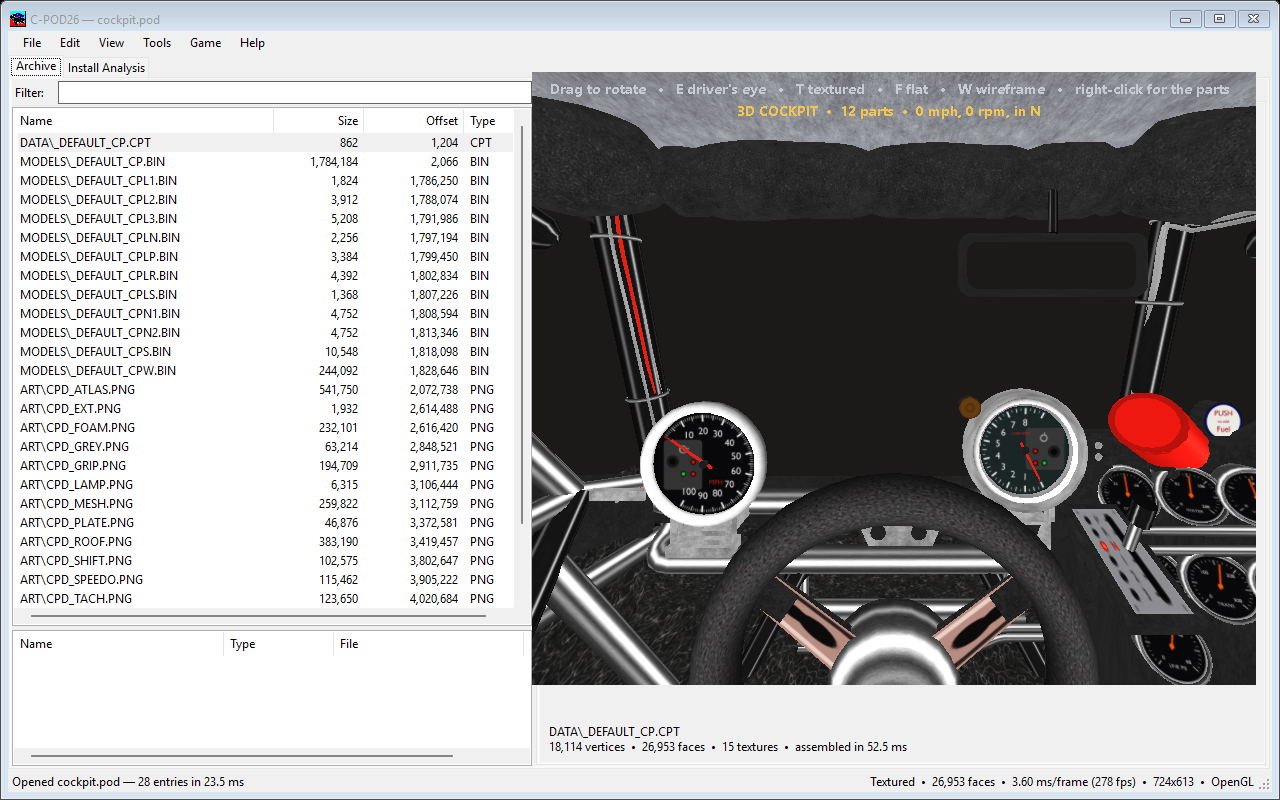
The parts are looked for in the open pod first and then across your load order, as the game finds them. Right-click → Cockpit Parts lists each one and where it came from, and names any that are missing — in game a missing part falls back to the default cockpit's.
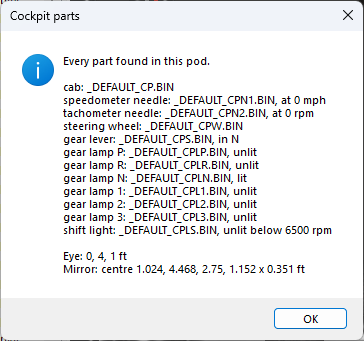
.CPT it belongs to.
C-POD reads the .CPT exactly as the game does. A line the game would skip, a
part it would ignore (a pivot more than 64 ft out, say) or a file it would reject
(no VERSION = 1) is reported here, rather than discovered in game as
“it shows the default cockpit”.
Building a truck pod from its .TRK packs the cockpit and every part it
lists. See Making a truck pod.
