BinEdit · Modern BinEdit
Pods
BinEdit can open the game's pods and build new ones. Both tools are on the Tools menu.
Pod Extractor
Pick a pod and the files you want, then Extract (or Extract And Load).
- Extract File Dependencies also takes everything the file needs: a model's textures, a truck's models, and now a truck's cockpit file.
- Recreate Directory Structure keeps the pod's folders.
- Load trucks in Truck Editor opens extracted trucks straight away.
Pod Creator
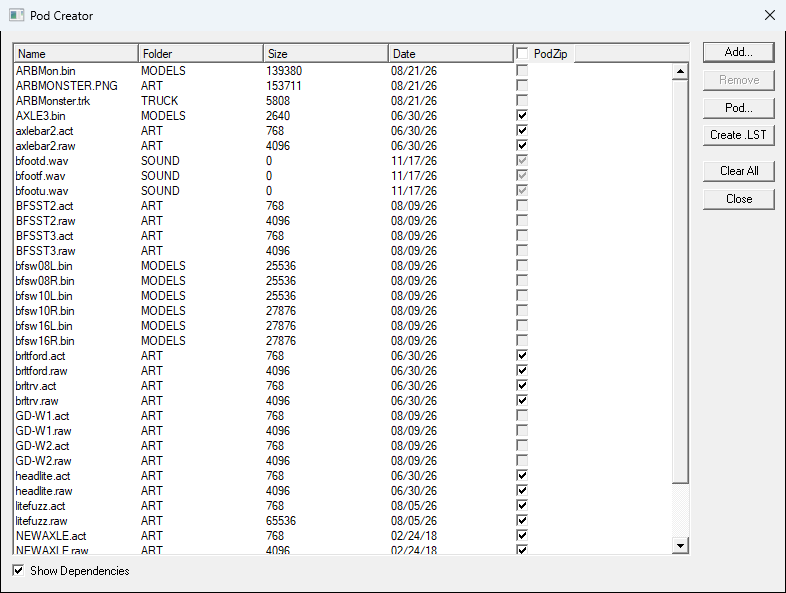
Add your models, trucks or tracks, check Show Dependencies, and click Pod....
New in 2026:
- HD art goes in the pod. If a texture has a PNG or TGA beside its .RAW, both go in. A model that names a PNG with no .RAW packs the PNG as the texture itself.
- Normal and AO maps (FOO_N, FOO_AO) go in with their texture.
- Trucks bring their cockpit: the .CPT, its models and their textures.
- Files BinEdit doesn't recognise go in their proper folder (.CPT and .TXV in DATA, .SI2 in WORLD) instead of being lost.
When the pod has HD art, BinEdit asks one more question:
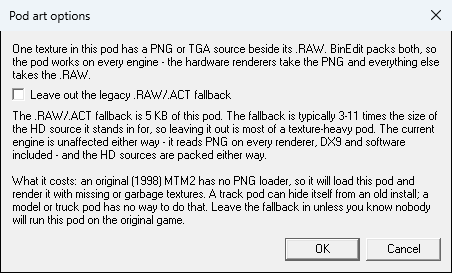
Leave out the legacy .RAW/.ACT fallback? This is the same choice Traxx offers. Leaving the .RAW files out makes the pod smaller (BinEdit shows how much). But the original 1998 MTM2 then shows missing or garbage textures, because it can only read the .RAW. Keep the fallback if anyone might play your pod on the original game.
Note: A pod entry's folder and name together can be at most 31 characters. BinEdit checks this when you add a file.

