
New in 2.4.1. A truck's in-cab view is a cockpit: a cab model plus moving parts (speedometer and tachometer needles, steering wheel, shift lever, gear lamps, shift light and mirror), tied together by a .CPT file. BinEdit can now make all of it.
Pick the part (Cab, Speedometer, Tachometer, Steering wheel, Shift lever, a gear lamp P/R/N/1/2/3, or the Shift light) and type a cockpit name of up to 15 characters (letters, digits, _ and -). BinEdit suggests the file name, for example NAME_CPN1.BIN, for your first save.
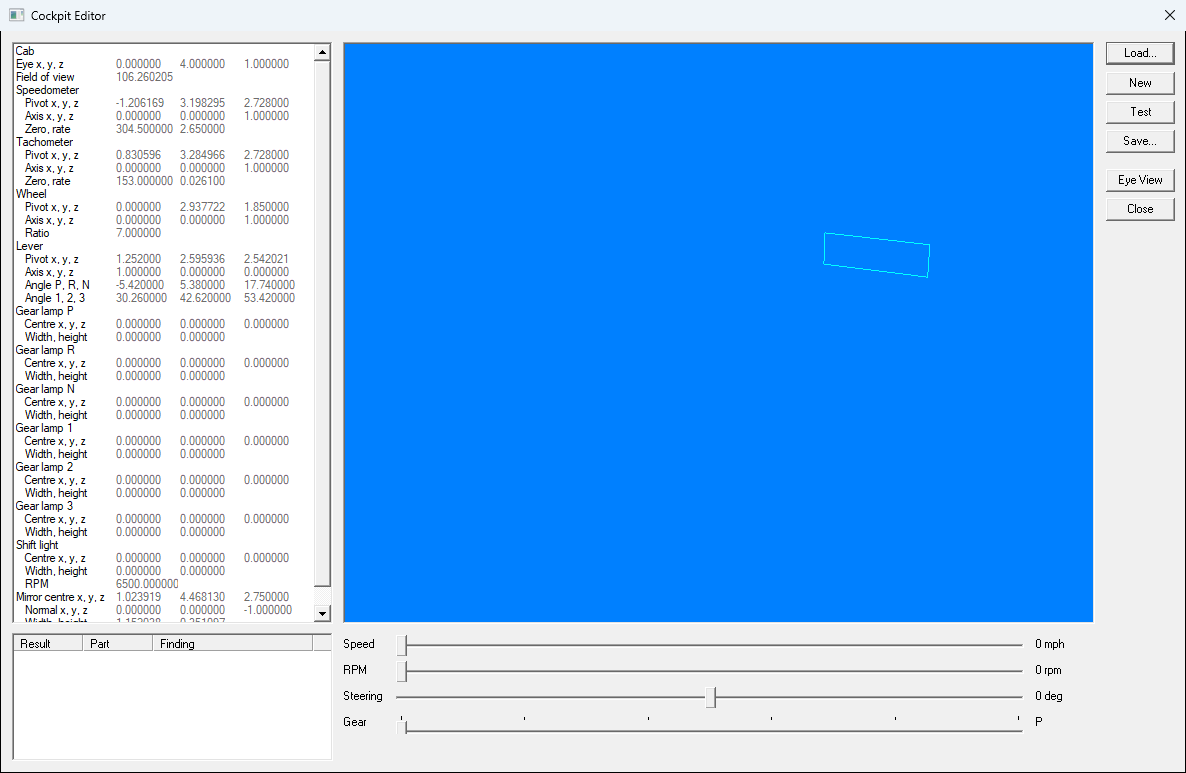
Values the .CPT doesn't set show their default in grey.
Test checks the cockpit the way the game will see it and lists Failures, Warnings and Performance notes. Examples: a missing part (the game shows its default one), a needle that doesn't point up at zero, a pivot or the eye outside the cab, a field of view outside 30–150, a name too long, a cab over 30,000 triangles. Test never stops you saving.
Save asks for a cockpit name and a folder. It then writes a complete set:
Data\NAME_CP.CPTModels\NAME_xxx.BIN for each partArt\It asks once, listing any files it would replace, and runs Test for you. A .CPT you loaded and saved keeps its comments, its key order and any keys BinEdit doesn't know.
To attach the cockpit to a truck, type its name into the Truck Editor's Cockpit row.
Exporting a cockpit part to glTF asks "Line this cockpit part up with monvert's markers in Blender?" Yes exports it in feet, turned to match monvert's markers.
| << Trucks | Bin Animator >> |
