
For twenty-odd years every MTM2 texture was an 8-bit .RAW with an .ACT palette, in 64×64 or 256×256. BinEdit now loads PNG and TGA too.
| Format | Sizes | Transparency |
| PNG / TGA | Square, power of two: 32, 64, 128, 256, 512 or 1024 | The file's own alpha channel. A file without alpha is solid. |
| .RAW + .ACT | 64, 128, 256 or 512. ⚠ The original MTM2 only loads 64 and 256. BinEdit warns you on save. | Near-black pixels are see-through, as always |
A .bin can name its texture as FOO, FOO.RAW or FOO.PNG. BinEdit looks for the file the .bin names first. Then it tries FOO.RAW, and only if there's no .RAW at all, FOO.PNG and then FOO.TGA. It also looks inside the game's pods.
So if you have both FOO.RAW and FOO.PNG, a model that names FOO.RAW opens on the .RAW. BinEdit never swaps in the PNG behind your back. To move a model onto its PNG, use Textures → Replace.
When you save, the model records the file you actually loaded. Load FOO.PNG and the .bin says FOO.PNG.
If FOO_N.PNG (a normal map) or FOO_AO.PNG (ambient occlusion) sits next to FOO, the Pod Creator packs it in the pod with FOO. Nothing in the .bin mentions these maps, and BinEdit doesn't draw them. Community Patch #3 uses the _N normal map: it adds surface relief, even to an old .RAW, with no change to the model.
Opening a model whose texture can't be found no longer crashes or stops the load. BinEdit asks:
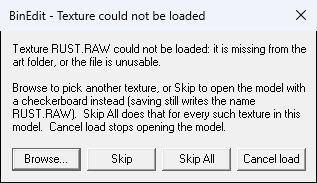
| Button | Does |
| Browse... | Find the file yourself |
| Skip | Open the model anyway. Those faces show a checkerboard. |
| Skip All | Skip every other missing texture in this model too |
| Cancel load | Don't open the model |
After Skip, BinEdit lists what it couldn't load:
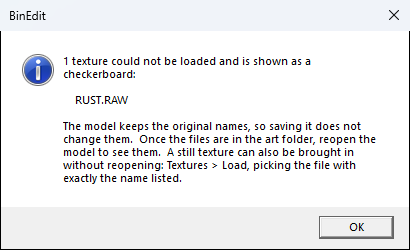
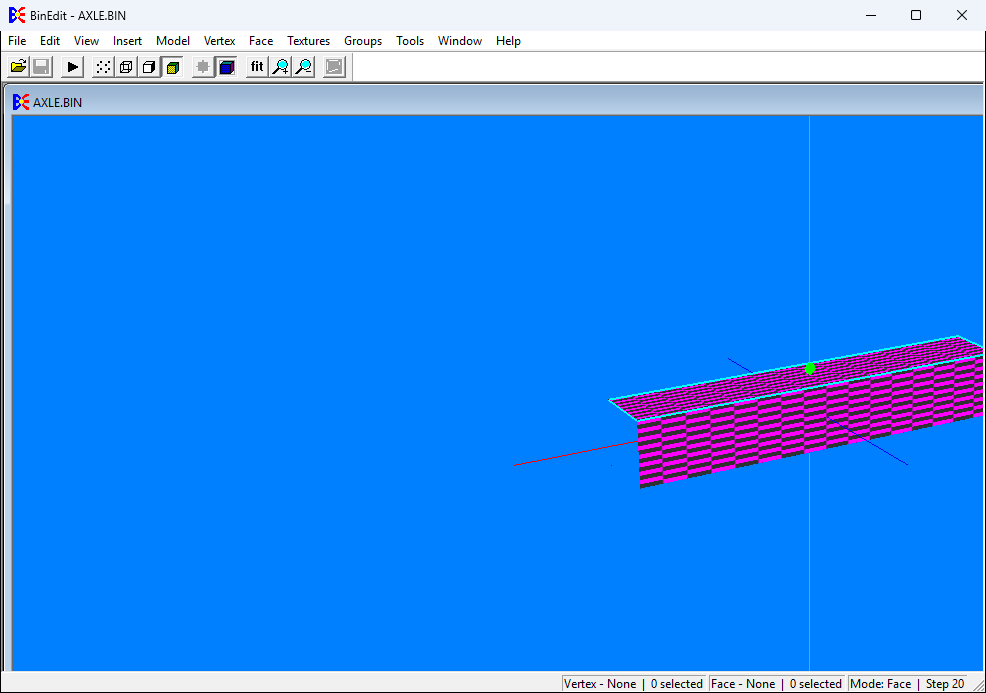
Skipping is safe. The model keeps the original texture names, and saving writes them back exactly as they were. Once the file turns up, use Textures → Load and pick it (same name, same extension). The checkerboard is replaced in place.
A texture name can now be up to 63 characters including the extension. The old limit was 15. But:
BinEdit checks every name when you save and tells you exactly which one is too long.
| << Moving Things & Undo | The BinMapper >> |
