
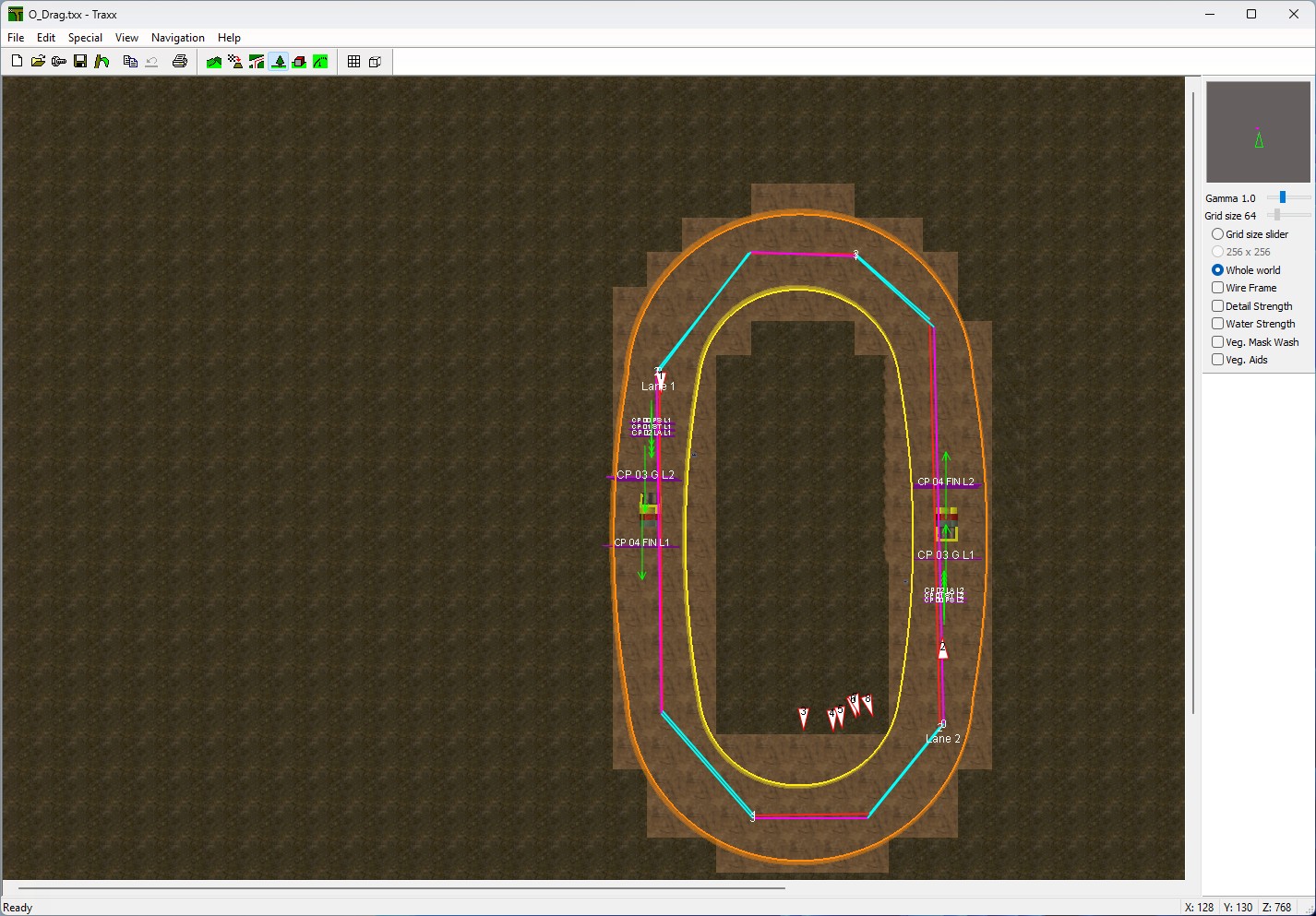
An oval, two trucks, one on each side of it, starting half a lap apart and chasing each other round it — the usual Chicago-style layout. Each truck has its own start and its own finish, and the first to cross its own finish wins.
Needs: Community Patch #4.
Open O_Drag.txx from the templates (New-Style Drags shows how: view its pod, extract the models and art, then open the .txx). Drive the pod in the game first.
In Edit → Track Components it is Drag, New-style drag (race rules) ticked, and this time Looped course (laps chosen in the game menu) is ticked too. Looped means the run is a number of laps, picked in the game menu as for a circuit. The two one-run templates (Straight, J) have the box clear.
The oval is two straights about 300 ft long joined by two rounded ends. Lane 1 starts on one straight and lane 2 on the other. They drive in opposite directions along their straights — which is the same direction round the loop — so they chase each other, about half a lap apart.
Five slots, ten boxes — every slot is Per lane:
See Split Checkpoints & Lanes.
Why per-lane starts mean every slot is per lane. Both trucks drive the same loop, but at different points in it. A shared gate would be met at a different moment in each truck's sequence. So the engine requires every slot to be Per lane once the starts are. Traxx's Write POD tells you, with "with per-lane starts every checkpoint must be split per lane, one copy for each lane".
Why the Gate. It is what makes a truck drive the whole oval. A truck's checkpoints count only in order — the game tests each truck against its next one — so the Finish only counts after the Gate, and the Gate is on the far side of the oval from the truck's own start.
Laps. The Pre-stage, Stage and Launch count once, at the start, and are ignored afterwards, so the trucks can drive back over them on later laps. The Gate and Finish repeat every lap.
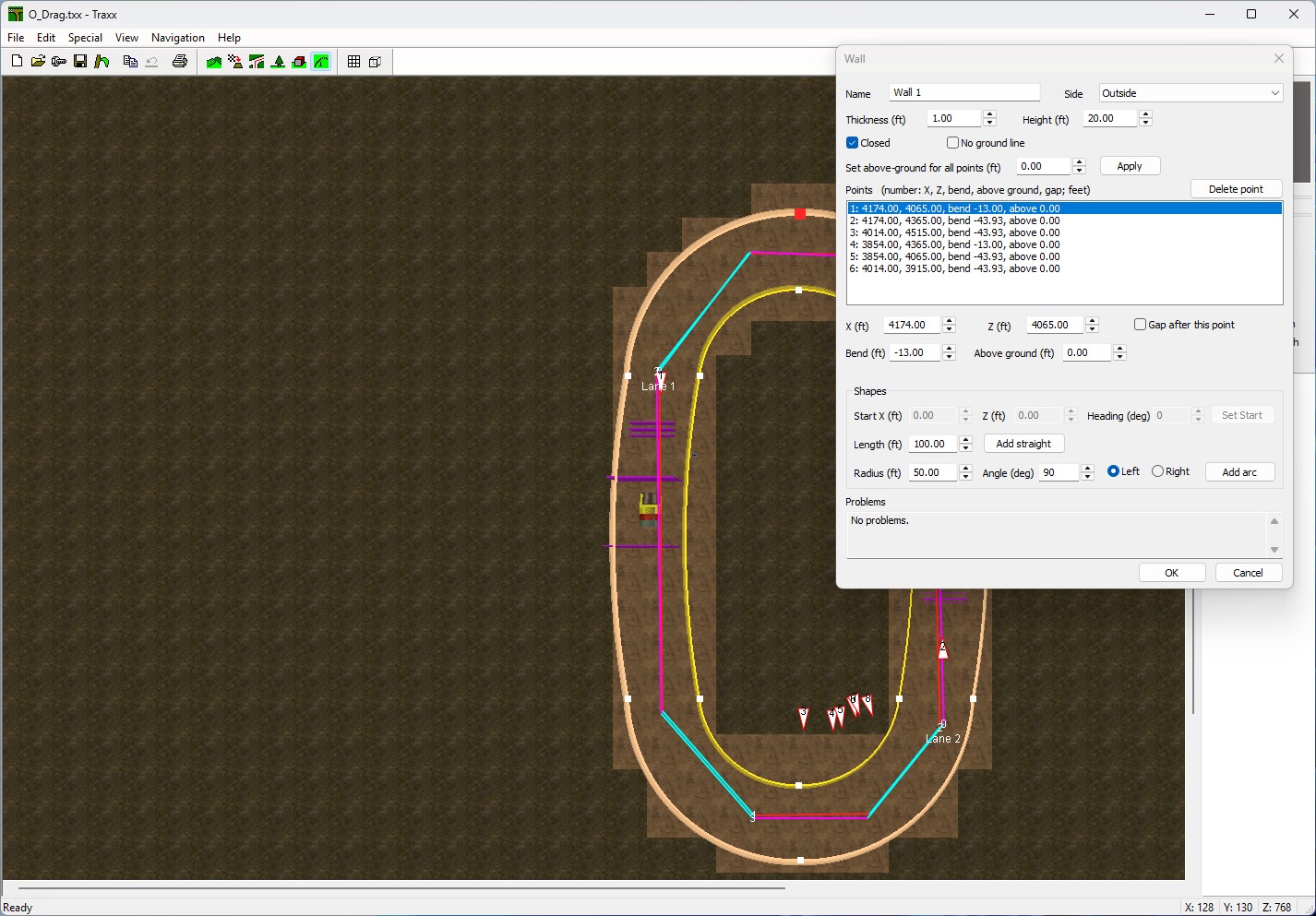
Two walls, both Closed, each with six points and every stretch bent: one outer (side Outside) and one inner (side Inside). Each end of the oval is two bent stretches; a bend can be at most half its stretch (a half circle). The lane between them is about 68 ft wide, and the walls are 1 ft thick, 20 ft high. See Walls. Touching either one disqualifies.
Lane 1 and Lane 2 each follow the oval; lane 2's line starts on the opposite side. They are what the computer trucks follow (see Lanes & Lead-ins).
A longer oval. Move the two straights' points further apart in z (the bottom and top points of both walls) and the AI lines with them. Keep both walls' straights parallel so the lane stays the same width.
A tighter or looser radius. The ends are two bent stretches each. Change their points or Bend, or — exact — delete the walls and rebuild from typed pieces in the Wall window: Set Start, Add straight 300, Add arc (radius R, 180 degrees, Left), Add straight 300, Add arc again, then tick Closed. Traxx drops the duplicate last point if the oval comes back exactly onto the first.
Keep the starts half a lap apart. Keep lane 2's start about half the loop's length round from lane 1's, and each lane's Gate and Finish in the same relation. Nothing checks it: the engine never moves or spaces a copy, and "half a lap" is only the usual layout.
Move the Finish. It can sit anywhere on the loop.
| << J Drag << | >> PaperClip Drag >> |
