
A J drag takes the straight strip and puts a hook in it: the trucks drive out along two lanes that are well apart, make a U-turn at the far end, and come back to finish side by side. The two lanes are far enough apart that each truck needs a beam of its own, so this is where split checkpoints first earn their keep.
Needs: Community Patch #4.
Open J_Drag.txx from the templates (New-Style Drags shows how: view its pod, extract the models and art, then open the .txx). Drive the pod in the game first, then come back to take it apart.
In Edit → Track Components the template is Drag with New-style drag (race rules) ticked and Looped course clear: a one-run drag, always one lap, like the Straight.
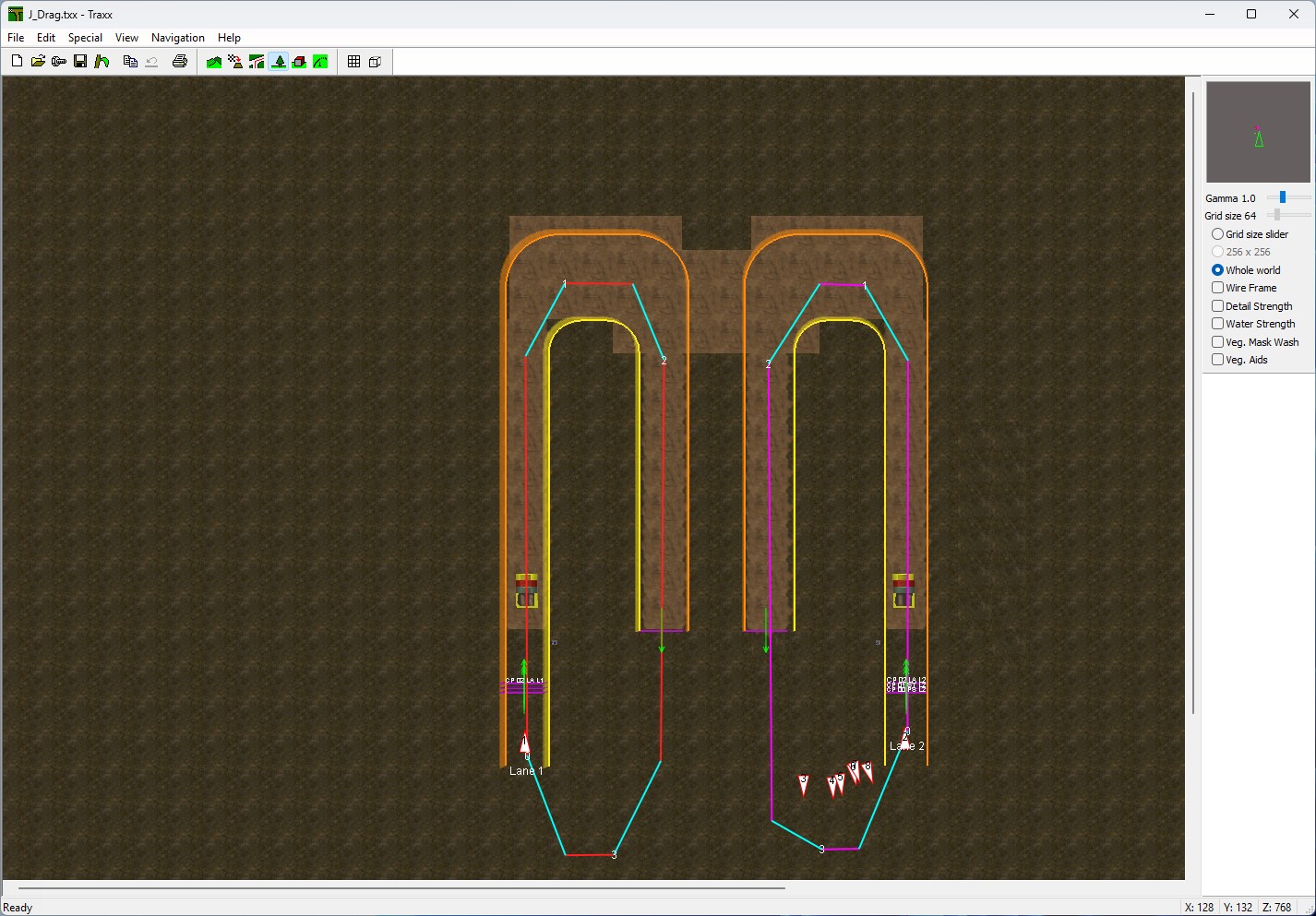
There are four slots, so four labels — but eight boxes in the 3D view, because every slot is split Per lane:
Open a copy in Object Properties: Split reads Per lane and Lane reads 1 or 2. Each copy is a box about 40 ft wide, the width of its lane. Each truck is only tested against its own lane's copies, so lane 1's truck cannot cross lane 2's beam by mistake and be counted. See Split Checkpoints & Lanes for how to make a pair: put a second box on the same Sequence, choose Per lane, and give it the other lane.
The two start lanes are about 350 ft apart. Look where the Finish copies are: they face the other way (turned 180 degrees from the starts), and they sit close together in the middle, about 100 ft apart. The trucks come back from the hook and finish side by side.
Note: when the three start slots are Per lane, every slot on the track must be Per lane, the Finish included. Write POD refuses a mix, with the message "with per-lane starts every checkpoint must be split per lane, one copy for each lane". The J is already built this way; remember it when you add a Gate (it needs a copy for each lane).
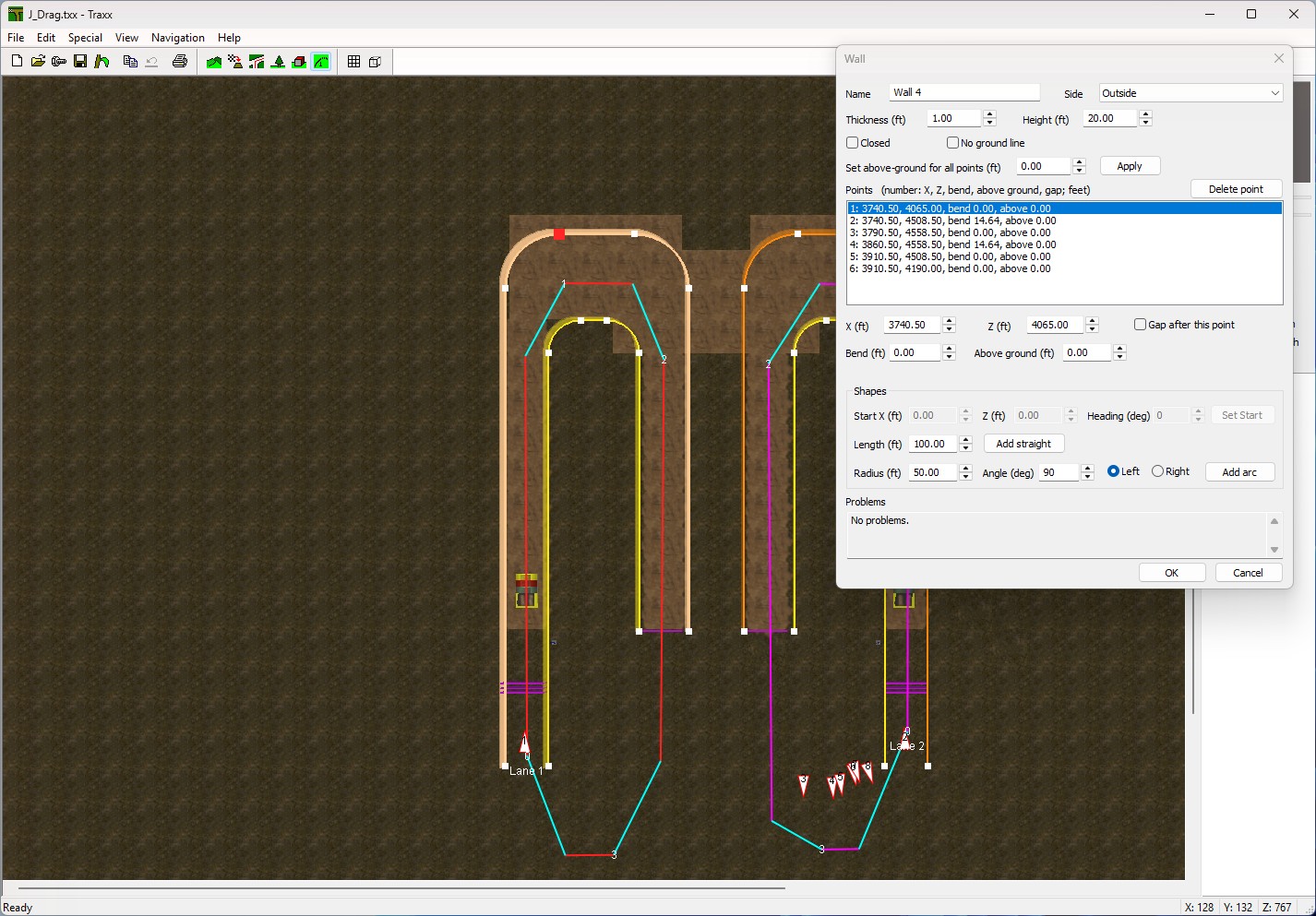
In Edit Walls mode there are four walls, one on each side of each lane, 6 points each:
Each wall runs straight up the lane, bends round the hook in a U-turn, then straight again toward the finish. They are not drawn point by point: the corners are bent stretches (Bend in the Wall window) so the turn is smooth, and each wall ends where the Finish is, so the corridors close in on the finish line from either side.
Each lane is a corridor about 40 ft wide. In a drag, touching any wall disqualifies the truck (see Walls).
Edit Course: Lane 1 and Lane 2 each follow their corridor, out round the hook and back. A third leftover line sits on course 2; a drag does not use it.
A longer run. Move the start boxes back (all six) and the first points of all four walls with them. To lengthen the straight before the hook, move the hook's points (all but each wall's first point and last point) further along, for both lanes together so they stay matched.
A tighter or wider hook. Move the hook's points closer or further apart, or change their Bend. A bend can be at most half the length of its stretch (a half circle); Traxx cuts back a larger one with a note.
Rebuilding a hook from numbers. In the Wall window, Set Start at the start point and heading, then Add straight for the run, Add arc (radius and angle, Left or Right) for the turn, then Add straight for the return. Typed pieces keep the turn exact.
Move the Finish. Both copies together: change the Position of the two copies of slot 3, and keep each at the end of its corridor. Both copies must still face the way the trucks come.
Note: edited from a pod (with Edit This Track) the walls look exactly the same, but they come in as many points about 8 ft apart — the form Traxx writes to the pod — instead of a few points with bends. Reshaping a hook by its bends needs the .txx, which keeps them.
See also: Components.
| << Straight Drag << | >> O Drag >> |
