An advanced POD mounting utility for managing the pod.ini mount
list. Its novelty is POD detection: it reads the .SIT and
.TRK files inside each POD and tells you what is actually in it,
so the list reads as track and truck names rather than filenames.
It is mostly aimed at MTM 1 and 2, but works with any Terminal Reality game
that uses a pod.ini mount list.
The same program comes two ways.JPodman is the Java build, for
Windows, macOS or Linux. KPodman is the same thing rewritten as a
native Windows application, for people who would rather not install Java.
Both share the same features, file formats and settings.
KPodman is at V1.0.4, which adds detection of .SI2 tracks. JPodman, and
the .NET 10 build of KPodman, are at V1.0.3.1.
Main Features
Classic dual-list interface for moving PODs between the mounted and
available lists, in the manner of Cowpod, PODit and Podswap.
Reads and writes MTM/TRI-style pod.ini files, and creates one
if it does not already exist.
Detects track PODs from their .SIT files and truck PODs from
their .TRK files — track metadata in light blue, truck
metadata in light red — and detects system PODs.
Name conflict detection. It warns when two mounted PODs contain the
same .SIT or .TRK, because only the last one
mounted actually loads.
POD list manager, for swapping between different mount lists the way
PODSwap did, with missing PODs removed automatically.
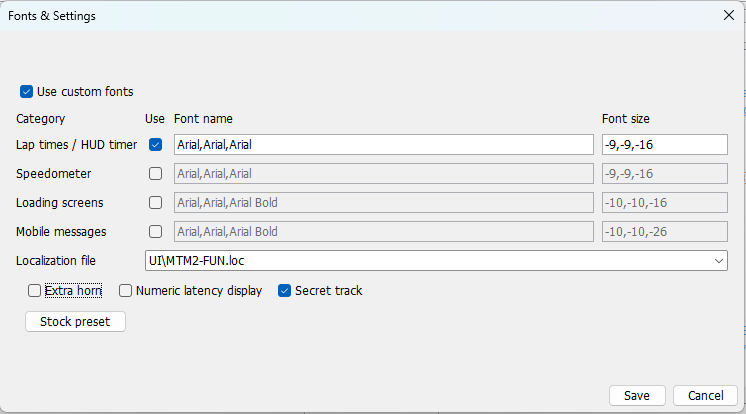
MTM2 fonts and miscellaneous settings, Cowpod style.
Configurable POD limit, defaulting to 99, with quick presets for MTM1,
Terminal Velocity, Fury3, Hellbender, CART Precision Racing, MTM2
trial/retail, MTM2 patched and the community patches.
Version and POD limit detection across MTM1 and 2 including the community
patches, plus TV, F3, HB, CPR, Nocturne and 4x4 EVO 1 and 2.
Scans the game folder and any extra folders you configure for
.pod files.
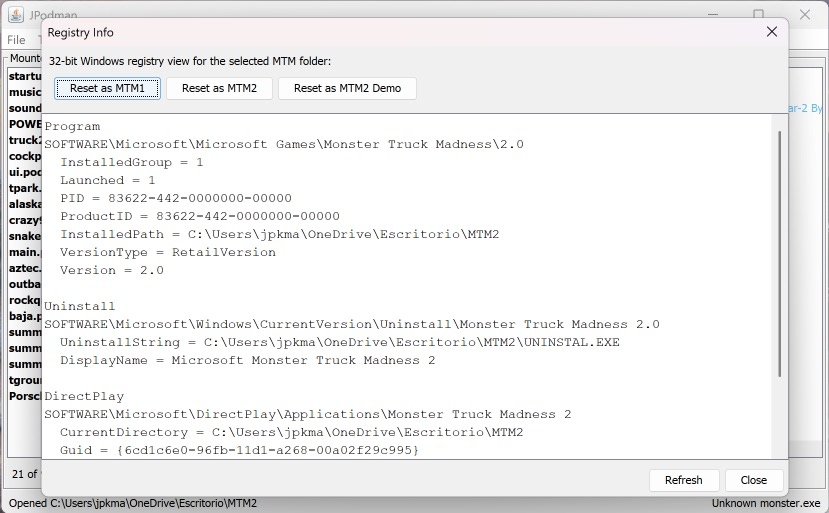
Windows registry info and reset tools, targeting the 32-bit registry view
MTM1 and 2 use. Windows only, and you have to run the program as
administrator.
Name filters on both lists, and an Add... button to find files by
hand.
Optional save-and-launch for monster.exe and
monsterx.exe.
Preferences saved as JSON in your user config folder.
Community Patch 3
Both builds detect a monster.exe reporting 2.0.50.1 or
later as Community Patch 3 and set the POD limit to 499, with a
matching preset button in Preferences. Community Patch 2 reports exactly
2.0.50.0 and keeps its 199 limit, so the threshold sits between the two.
Screenshots
Click any of them for the full size.
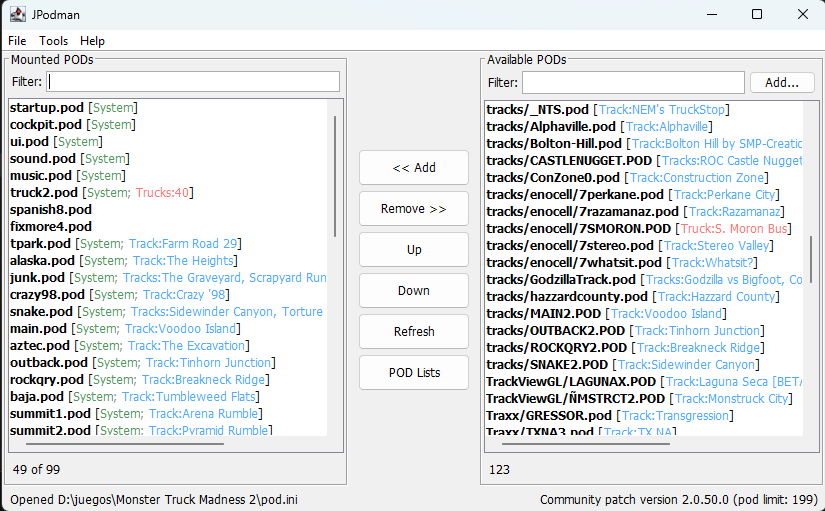
The main window. Tracks in light blue, trucks in light red, and the status bar
naming the game version and POD limit it detected.
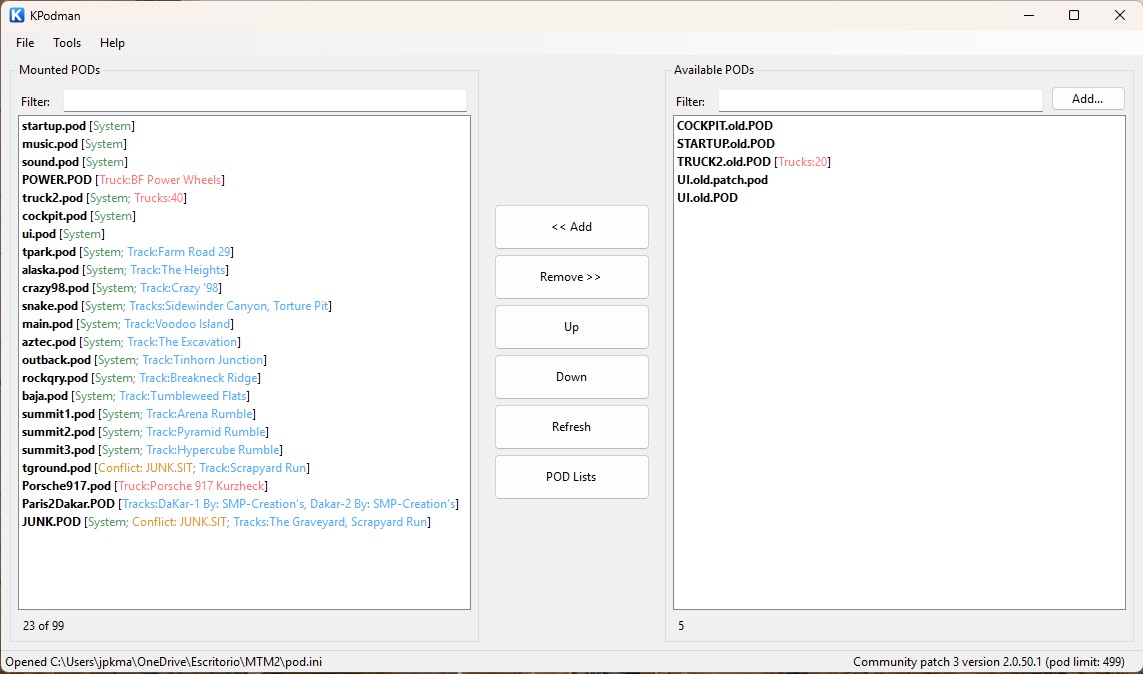
KPodman, the native Windows build — same layout, same features, no
Java. This one is also showing two of the features at once: two PODs flagged in
orange because they both carry JUNK.SIT, and a status bar reading
Community patch 3 version 2.0.50.1 (pod limit: 499).
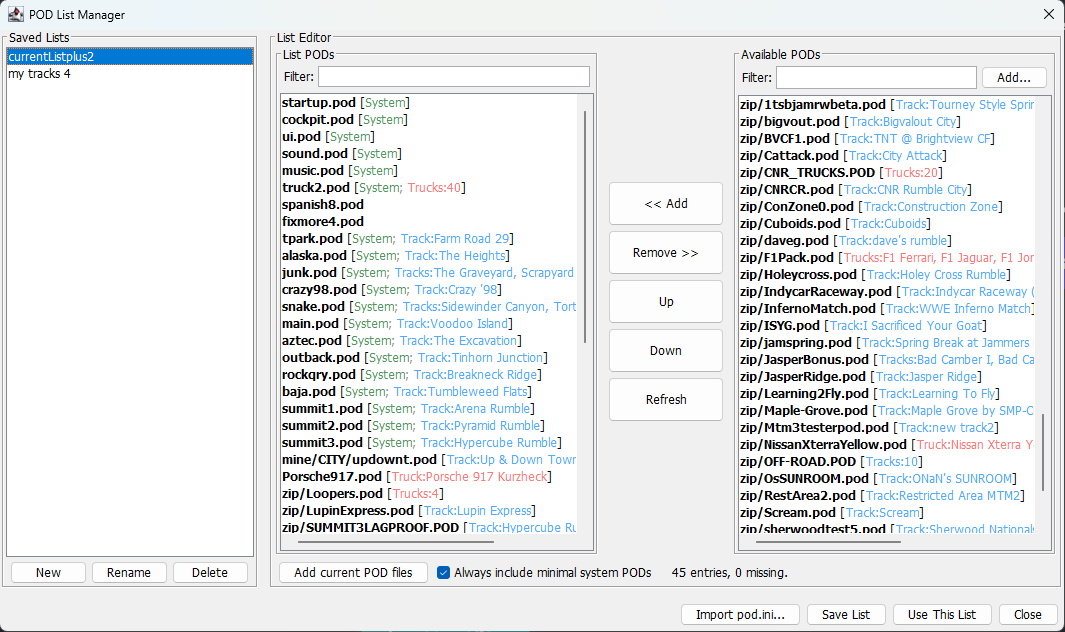
The POD list manager. Keep your favourite lists in the program and switch
between them.
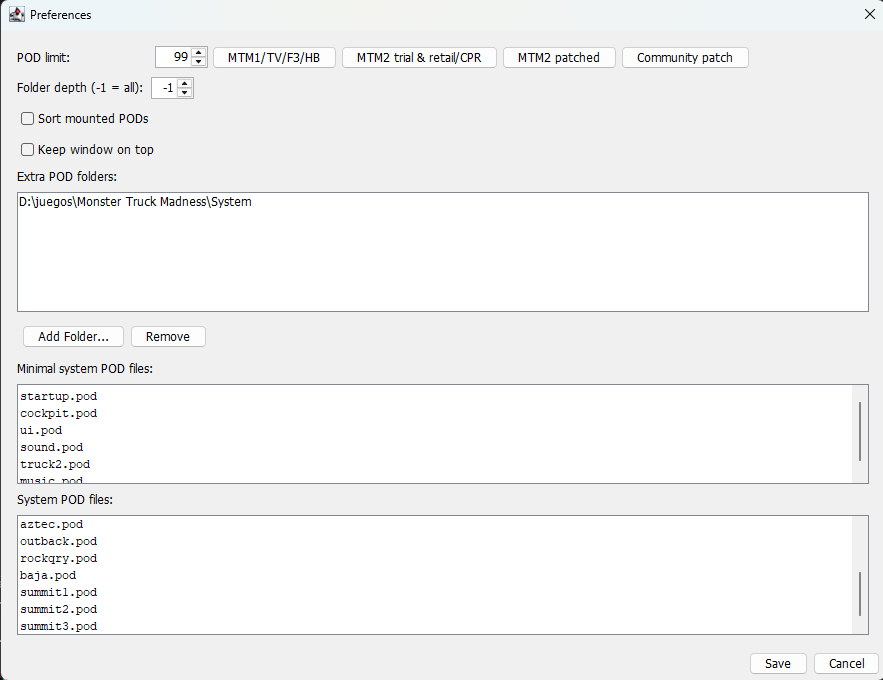
Preferences — the POD limit and its presets, the extra folders to scan,
and which files count as system PODs.
The registry tool, for resetting MTM1 and MTM2 registry info. Windows only.
Fonts and settings, Cowpod style — including the localization file, so a
translation like Kmaster's Spanish .loc can be selected here.
Which one should I use?
KPodman if you are on Windows and do not already have Java. It is a
single 263 kb executable with no installer and nothing to unpack, and it
talks to the Windows registry directly with no extra libraries.
JPodman if you are on macOS or Linux, or if you already have Java and
would rather keep one build for every machine. The jar is 3 mb and runs
anywhere.
They are interchangeable. Both read and write the same
pod.ini and use the same preferences format, so you can switch at
any time — KPodman even imports your existing JPodman settings and saved
lists the first time you run it. The only real differences are the runtime and
the platform.
Requirements
KPodman — Windows 7 SP1 or above. It is built against .NET
Framework 4.8, which ships with Windows 10 and 11, so there is nothing to
download.
JPodman — Java 17 or above, on Windows, macOS or Linux.
Download
KPodman.exe —
V1.0.4, 263k. Native Windows, built against .NET Framework 4.8.
This is the one most people want — 4.8 ships inside Windows
10 and 11, so there is nothing to download.
KPodman_net10.exe
— V1.0.3.1, 496k, one version behind: 1.0.4 has no .NET 10 build
yet. The same program from the same source, built
against .NET 10 instead. That is the current .NET, which is
not part of Windows, so this one needs the .NET 10 runtime installed.
Worth having if you already run it, or for whenever 4.8 stops shipping
with Windows.
jpodman.jar —
V1.0.3.1, 3.4 mb. Java, and the one to take on macOS or Linux.