
It's pretty much done now. Merge all layers in all textures, reduce to 256 colors, then save as "(initials)tt1", "(initials)tt2", and "(initials)tt3" respectively either as BMP's and use FlyRawGui or as RAW's using Palette Converter (don't forget to save the palettes, too!). Then, simply apply the textures to the model in any form you feel comfortable with (I suggest BinEdit's Texture Replacer... remember to replace the textures Mad041, etc. with xxtt1, etc. respectively)! You're DONE!
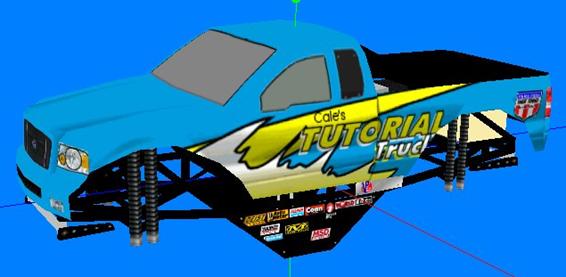
Almost perfect! The hood shading alignment is my fault, I wasn't as careful as I should have been, but luckily it's an easy enough fix to realign it in the texture. Now that you see how it's done, go ahead and try your own designs. You can either start by doing the hood and roof of this truck, or trying a whole new truck. Please, play around, experiment, be creative, and most importantly, have fun!
