please help me with this, it's driving me insane. especially since it's probably something so small and stupid
camera angles help!
camera angles help!
oy, i've been working on this on and off all day and just can't figure it out. i've been messing with camera angles for my track and every time i change something even if it's completly removing a certain camera nothing changes
I've uncoded every other version of the track, completly removed cameras and started over leaving zero alone, and every time i get the exact same camera set up in game.
please help me with this, it's driving me insane. especially since it's probably something so small and stupid
i've been working on altitude changes, but that aside nothing is changing. every since i entered the first camera setup and saved it nothing has changed no matter what i do. i do all the correct steps and even went as far as setting the course around the track where the truck actually drives(usually don't do that for drag tracks) and still nothing happened.
setting up the course and the race camera angles that go with it.
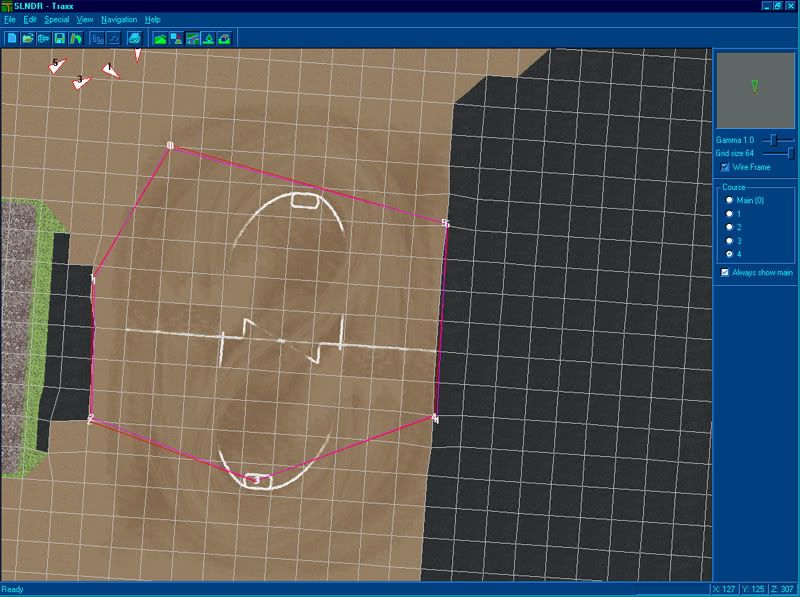
i've noticed over the last several minutes that segment 0 and 1 are the only ones that show no matter what i do. here's a picture of what i have set up, hope the quality is ok.

that's my most recent attempt and 0 and 1 are the only cameras that show no matter where i drive.
i've noticed over the last several minutes that segment 0 and 1 are the only ones that show no matter what i do. here's a picture of what i have set up, hope the quality is ok.

that's my most recent attempt and 0 and 1 are the only cameras that show no matter where i drive.
I'm still not clear on what you mean by camera angle but let me point a few things out and see if it helps.
The map in the game, the thing you get when you press the tab key, is set by the main course. That's course Zero.
The blimp follows the main course. Course Zero.
Course 1 is for rookie and intermediate trucks.
Course 2 is for pro trucks.
The race cam and helicopter will follow course 1 or 2 depending on the driving level you're using.
The race cam looks at your truck from the "ends" of the course segment. Whichever end is closest to the truck, is the view you will see.
You should always put space between the ends of the course segments. Preferrably at least three to four squares. You can go up to six or seven depending on the track layout.
You should never use more than 90 degree angles between course segements. If you want the truck to do a u-turn, you still need a little nubby segment or the helicopter won't work correctly.
You should always put the extended courses in. Failing to do so will often have the helicopter dropping your truck miles away from the track. And the race cam will not work right.
If you want to change the camera angle while driving the truck, press the V-key. Pressing the 7-key puts you in the cockpit view.
http://cownap.com/~mtmg/traxx/extend2.html

The map in the game, the thing you get when you press the tab key, is set by the main course. That's course Zero.
The blimp follows the main course. Course Zero.
Course 1 is for rookie and intermediate trucks.
Course 2 is for pro trucks.
The race cam and helicopter will follow course 1 or 2 depending on the driving level you're using.
The race cam looks at your truck from the "ends" of the course segment. Whichever end is closest to the truck, is the view you will see.
You should always put space between the ends of the course segments. Preferrably at least three to four squares. You can go up to six or seven depending on the track layout.
You should never use more than 90 degree angles between course segements. If you want the truck to do a u-turn, you still need a little nubby segment or the helicopter won't work correctly.
You should always put the extended courses in. Failing to do so will often have the helicopter dropping your truck miles away from the track. And the race cam will not work right.
If you want to change the camera angle while driving the truck, press the V-key. Pressing the 7-key puts you in the cockpit view.
http://cownap.com/~mtmg/traxx/extend2.html
thanks for the extra help phin. segments/cameras are a lot different with drag tracks though. it's more about where the segment is so the camera looks like it's in a realistic spot so it's not so much about where the segments are for the bots as it is for the cameras.
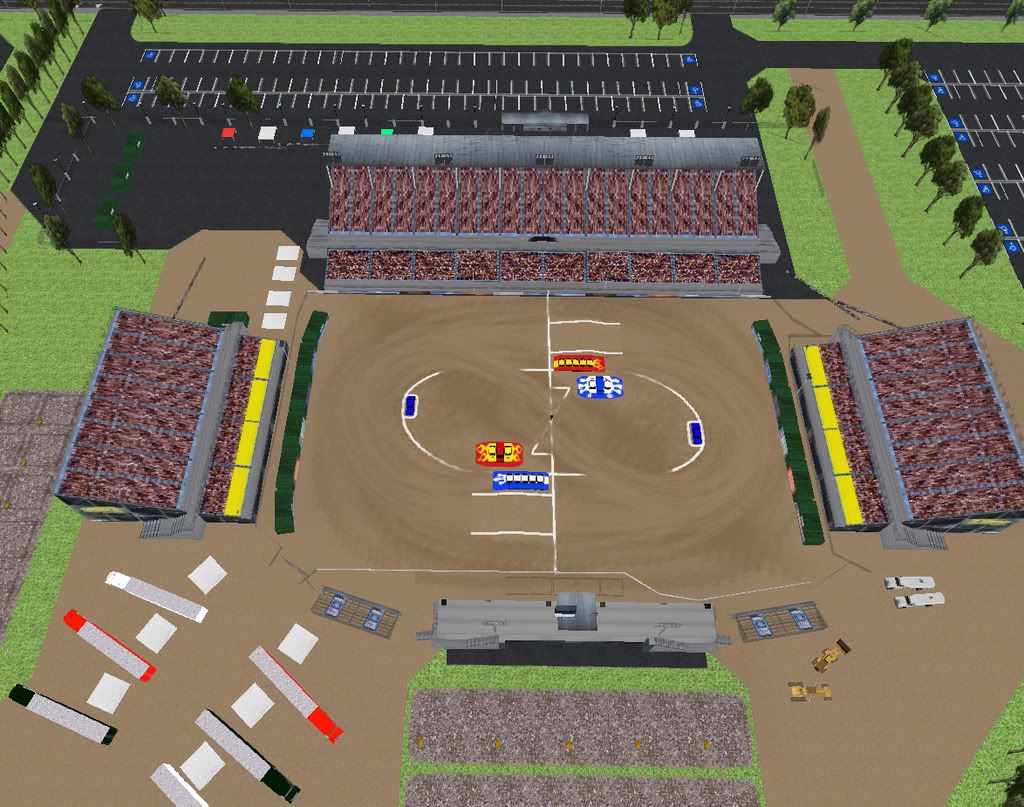
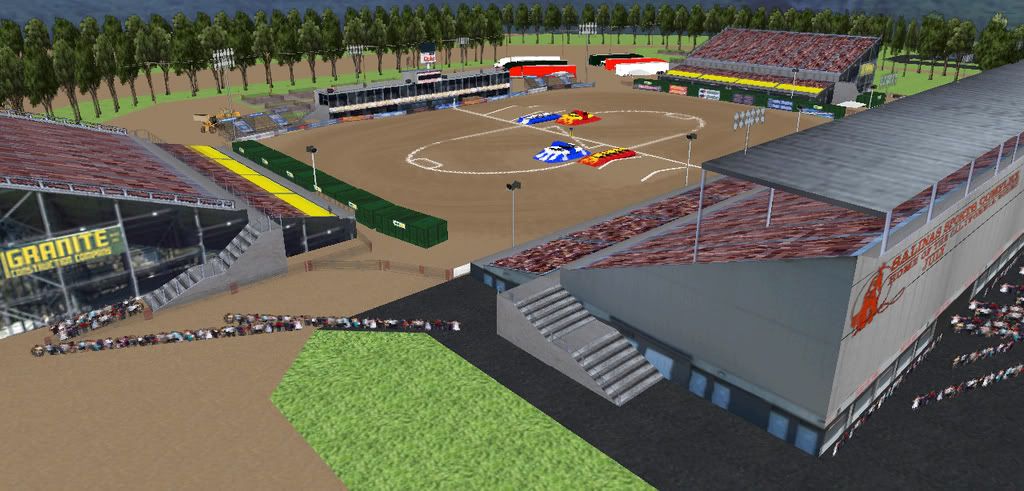
in case you're wondering what kind of track i'm doing, it's a drag track from my hometown.
http://i37.photobucket.com/albums/e70/W ... al9big.jpg
http://i37.photobucket.com/albums/e70/W ... l5full.jpg
in case you're wondering what kind of track i'm doing, it's a drag track from my hometown.
http://i37.photobucket.com/albums/e70/W ... al9big.jpg
http://i37.photobucket.com/albums/e70/W ... l5full.jpg
The aim and use on a drag track may be different from a circuit or rumble but the game functions in exactly the same way for each one, and so knowing what the game is doing, or trying to do, should help you achieve what you're after with a bit more ease regardless of the style of game play.
All camera angles are centered on the truck, and only race cam and blimp cam do not move in relation to the truck, and they can be extended using gold mode.
I didn't say above but courses 3 and 4 are not used. Setting them does absolutely nothing.
Anyway, glad to hear you got what you were after. The track looks great and should be a nice one when it's finished.
All camera angles are centered on the truck, and only race cam and blimp cam do not move in relation to the truck, and they can be extended using gold mode.
I didn't say above but courses 3 and 4 are not used. Setting them does absolutely nothing.
Anyway, glad to hear you got what you were after. The track looks great and should be a nice one when it's finished.