I have Angus to thank for this tip. And I should really make a tips page for it, but until that time, here it is.
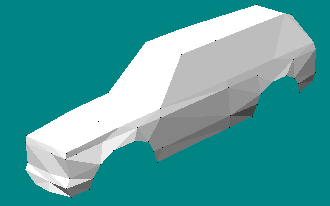
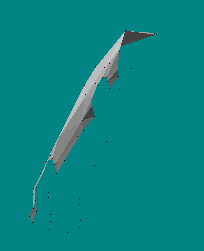
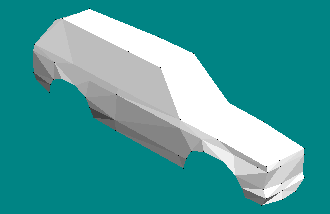
Make one side of your model. Btw, this works best for complex models where you want symmetry. Simple models can still be done this way but let's face it, if it's simple, then it isn't that hard to do anyway.
http://mtm2.com/~mtmg/binedit/pics/mirror01.gif
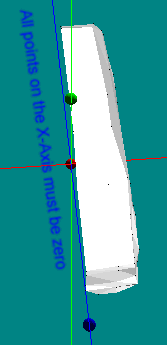
The trick is to make sure the model is aligned along one of the axes. In this case, it's centered on the x-axis. All the points for the middle of your model should be on the axis. So, here, all the model's middle points have an x value of zero.
http://mtm2.com/~mtmg/binedit/pics/mirror02.gif
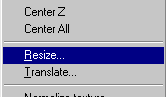
Now, just goto Resize.
http://mtm2.com/~mtmg/binedit/pics/mirror03.gif
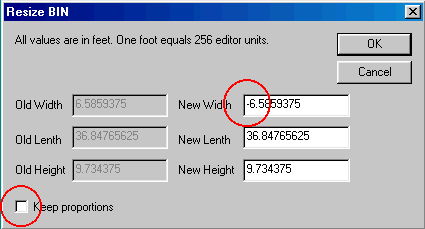
You see the currect width, len(g)th and height values. The trick is just to change the width to a negative value. Of course, if you are working along the length or height, you'd switch that value instead of width. Leave the keep proportion box <u>un</u>checked.
http://mtm2.com/~mtmg/binedit/pics/mirror04.gif
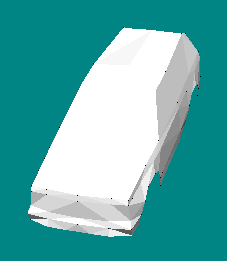
Click OK and your model will look very strange. Don't worry, the next step fixes that.
http://mtm2.com/~mtmg/binedit/pics/mirror05.gif
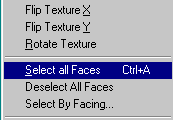
Simply select all faces.
http://mtm2.com/~mtmg/binedit/pics/mirror06.gif
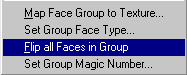
Then flip all faces in group.
http://mtm2.com/~mtmg/binedit/pics/mirror07.gif
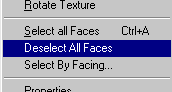
And of course, deselect all faces.
http://mtm2.com/~mtmg/binedit/pics/mirror08.gif
Now you have an exact mirror of your original model.
http://mtm2.com/~mtmg/binedit/pics/mirror11.gif
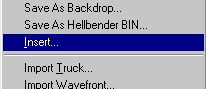
To complete the process, goto Insert
http://mtm2.com/~mtmg/binedit/pics/mirror09.gif
And select the file you started with. When you click open, your model will be complete with two perfectly symmetrical halves.
http://mtm2.com/~mtmg/binedit/pics/mirror10.gif
If you like you can merge close vertices, and then delete unused vertices.
Nice trick.
--------
Now posted here and at the binedit resource
http://mtm2.com/~mtmg/binedit/mirror.html
<font size=1>Edited by Phineus (07-12-2002)</font>
Hidden Mirror Function in BinEdit

-
ZO_BigDOGGe
- Member
- Posts: 363
- Joined: Mon Nov 20, 2000 2:01 pm
- Location: Mountain View, Calif., USA