

when i started on my rumble track, i was going to use a model, but decided not to use it because of a texture error, and because i found a better way not to use it. the problem is, the model is now invisible, and theres no way of finding it to delete it. ive created a pod of it to see if it works with the model in it, but it doesnt.
how do i find the model so i can delete it?
cant find model to get rid of
-
Tyler Wysocki
- Member
- Posts: 189
- Joined: Tue Apr 13, 2004 1:55 pm
cant find model to get rid of
---
Why am i here?
Why am i here?

In traxx, on the right hand side, you'll see the location map. Looks like this.
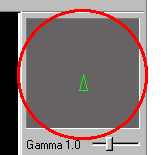
Just underneath it is a checkbox for wireframe. Check it so the terrain disappears. If the model is hiding someplace, that should make it easier to find. You can also set the background color in the program options to help make it stand out if it is showing up black. You can restore the defaults easily enough after you're done so no need to worry about anything like that.
Just underneath it is a checkbox for wireframe. Check it so the terrain disappears. If the model is hiding someplace, that should make it easier to find. You can also set the background color in the program options to help make it stand out if it is showing up black. You can restore the defaults easily enough after you're done so no need to worry about anything like that.


-
Tyler Wysocki
- Member
- Posts: 189
- Joined: Tue Apr 13, 2004 1:55 pm
-
Tyler Wysocki
- Member
- Posts: 189
- Joined: Tue Apr 13, 2004 1:55 pm
