

Small news. I got it to compile and build in Visual Studio 2005 but the actual game crashes at start up.
Baby steps, right?
MTM2 Source Code
Re: MTM2 Source Code
Baby steps are surely better than none at all. Does it compile with debugging symbols at least?
Re: MTM2 Source Code
Eh... actually it does not 
The release one builds but the debug does not. It actually gives compiler error at the debug code, I'll have to look into it eventually.
The release one builds but the debug does not. It actually gives compiler error at the debug code, I'll have to look into it eventually.
Re: MTM2 Source Code
Disappointing, but there are workarounds. You get used to it when you use programs like I do, that can't debug worth a crud.
Idea: Make a log appending function e.g. appendLog(int value) that opens up a log file, dumps the given number or string into it, then closes the file. Of course, this will slow the game down and possibly make a big log file depending on what you're debugging, but if you view the log immediately after a crash, you'll see at what point it died.
For instance... I have no idea what the mtm2 code looks like, so I'll make some guesses:
Obviously this is a lot less efficient than a "real" debugger, but I guess you gotta make due sometimes. In this example, if you run the game and it crashes, we might say you view the log and it contains:
0
1
2
From this you can conclude that something went wrong with DirectSound, and if you move your log function calls to inside playMusic(), you can deduce where the crash occurred. I suppose a more experienced or formally grounded programmer would have better advice on the matter, but that's my advice for what it's worth.
Idea: Make a log appending function e.g. appendLog(int value) that opens up a log file, dumps the given number or string into it, then closes the file. Of course, this will slow the game down and possibly make a big log file depending on what you're debugging, but if you view the log immediately after a crash, you'll see at what point it died.
For instance... I have no idea what the mtm2 code looks like, so I'll make some guesses:
Code: Select all
int main(const char* argc, int argv)
{

appendLog(0);
ShowWindow(hwndMenu, SW_SHOW);
setFullScreen(true);
appendLog(1);
loadFileSystem("pod.ini");
appendLog(2);
playMusic("splash.wav");
appendLog(3);

}
0
1
2
From this you can conclude that something went wrong with DirectSound, and if you move your log function calls to inside playMusic(), you can deduce where the crash occurred. I suppose a more experienced or formally grounded programmer would have better advice on the matter, but that's my advice for what it's worth.
Re: MTM2 Source Code
Well good news and bad news. I got the c++ to compile in VS 2015... however the ASM, assembly files, won't. I think because they are written in OMF .asm format and VS 2015 (actually anything since VS 2005) only uses COFF .asm.
So I'm stuck. I have barely learned any C++ due to lack of time, I'm only 1/3 into the book (basically what I've been doing now with this porting is way advanced for my level) but to try and figure out the assembly is too much.
Edit: Or it might be that the assembly written by TRI in 1998 (ML.exe version 6) is not compatible with today's instructions (ML.exe version 14). If I try to use the ML.exe version 6 it puts out an OMF .obj. If I try to use ML.exe version 14 it just errors out at different instructions that look like hieroglyphs to me.
So I'm stuck. I have barely learned any C++ due to lack of time, I'm only 1/3 into the book (basically what I've been doing now with this porting is way advanced for my level) but to try and figure out the assembly is too much.
Edit: Or it might be that the assembly written by TRI in 1998 (ML.exe version 6) is not compatible with today's instructions (ML.exe version 14). If I try to use the ML.exe version 6 it puts out an OMF .obj. If I try to use ML.exe version 14 it just errors out at different instructions that look like hieroglyphs to me.
Re: MTM2 Source Code
Well I think ultimately I should go back to finishing the book. I kinda got bored of just reading and not doing anything in MTM but when trying to increase the draw distance above 30 (which is at right now) it crashes and the code that crashes it... well I haven't gotten to that part of the book yet so I'm just staring at it and I have no idea what's going on. lol
-
monsterextremo1199
- Member
- Posts: 44
- Joined: Sun Mar 01, 2015 4:34 pm
Re: MTM2 Source Code
Fila, you can do that MTM2 accepts Axis Z for controllers? I hope so much because I always want it to play well with my Sidewinders in Windows 7, 8 and 10, but the brake pedal is in Axis Z, so its weird to play :/
I have a problem with MTM2 in Windows 10 that I lose my configuration of MTM2, so when I open it again, I have to set up again, so... D;
I have a problem with MTM2 in Windows 10 that I lose my configuration of MTM2, so when I open it again, I have to set up again, so... D;
-
Kmaster

- MTM2 Engineer
- Posts: 1370
- Joined: Fri Oct 10, 2003 6:19 pm
- Location: Valparaíso, Chile.
- Contact:
Re: MTM2 Source Code
¿Has intentado correr MTM2 como administrador? Si el juego pierde la configuración cada vez que lo abres, es porque no esta modificando el archivo system.ini, la razon más común es porque no tiene los permisos para hacerlo.monsterextremo1199 wrote:Fila, you can do that MTM2 accepts Axis Z for controllers? I hope so much because I always want it to play well with my Sidewinders in Windows 7, 8 and 10, but the brake pedal is in Axis Z, so its weird to play :/
I have a problem with MTM2 in Windows 10 that I lose my configuration of MTM2, so when I open it again, I have to set up again, so... D;
Translation: run mtm2 as admin, prolly not enough privileges to modify system.ini.
Re: MTM2 Source Code
Double check and make sure that system.ini is not set to "read-only". If it's not "read-only" then try what kmaster said.monsterextremo1199 wrote:Fila, you can do that MTM2 accepts Axis Z for controllers? I hope so much because I always want it to play well with my Sidewinders in Windows 7, 8 and 10, but the brake pedal is in Axis Z, so its weird to play :/
I have a problem with MTM2 in Windows 10 that I lose my configuration of MTM2, so when I open it again, I have to set up again, so... D;
As far as the Z Axis... I'm still reading on c++. I will of course look into this but just a fair warning, it's not going to be any time soon as I first want to finish reading it and then slowly work on it step by step. (and first steps are resolution and draw distance).
Re: MTM2 Source Code
I finally figured out the draw distance crash. It's unbelievable. I spent 2 months looking into this, reading books and stuff only to realize I only had to do one simple thing. Increase the vertexlist limit from 4000 to 16000.
Bah!
Well the good news is that now the game will achieve a maximum of 50 tiles draw distance (same as the render patch) and it is completely customizable (10 to 50) from inside the graphic option. Furthermore, based on the initial testing, the game will not turn white if you don't use nGlide. This still needs to be tested but so far it's looking good.
I'm going to try and implement different resolutions now. Once I manage to pull that off I will release another beta for testing. Hopefully it won't take me another 2 months
Bah!
Well the good news is that now the game will achieve a maximum of 50 tiles draw distance (same as the render patch) and it is completely customizable (10 to 50) from inside the graphic option. Furthermore, based on the initial testing, the game will not turn white if you don't use nGlide. This still needs to be tested but so far it's looking good.
I'm going to try and implement different resolutions now. Once I manage to pull that off I will release another beta for testing. Hopefully it won't take me another 2 months
Re: MTM2 Source Code
I had a decent start with the resolution. Have managed to implement 1024x768. Still have to figure out some quirks like the cockpit view is all messed up and for some reason the game crashes every time there are weather effects. Only with increased resolution. The drawdistance is fine.
While I'm trying to figure this out, will you guys help me to settle on what resolutions I should add? Ideally I will work towards being able to select some resolutions from the list rather than have a fixed one.
So I'm thinking:
640x480 (for old time sake)
1024x768
1366x768 (i know some small laptops still use this)
1280x1024
1680x1050
1920x1080
2560x1440 (this one might be difficult. I don't know if directx5 supports it. Hopefully I don't need to port the game to directx9. Not ready for such a move yet).
While I'm trying to figure this out, will you guys help me to settle on what resolutions I should add? Ideally I will work towards being able to select some resolutions from the list rather than have a fixed one.
So I'm thinking:
640x480 (for old time sake)
1024x768
1366x768 (i know some small laptops still use this)
1280x1024
1680x1050
1920x1080
2560x1440 (this one might be difficult. I don't know if directx5 supports it. Hopefully I don't need to port the game to directx9. Not ready for such a move yet).
-
monsterextremo1199
- Member
- Posts: 44
- Joined: Sun Mar 01, 2015 4:34 pm
Re: MTM2 Source Code
Well I think is better like this
640x480
800x600
1024x768
1280x720(sub-HD)
1360x768(I saw laptops with this resolution)
1366x768(some other laptops)
1400x900(some monitors)
1600x900(some 17" laptops like mine)
1920x1080(the HD standard resolution)
640x480
800x600
1024x768
1280x720(sub-HD)
1360x768(I saw laptops with this resolution)
1366x768(some other laptops)
1400x900(some monitors)
1600x900(some 17" laptops like mine)
1920x1080(the HD standard resolution)

Re: MTM2 Source Code
Port to DX9 lol.
Then we don't need nglide. And the game will perform much better.
Then we don't need nglide. And the game will perform much better.

Re: MTM2 Source Code
Eventually I do want to port to DX 9, yes.
I was thinking of first putting in the new resolutions so that we have a nice "modern-ish" looking game with proper resolution and view distance and this way we have something that looks good to play. And after this is done I will look into porting it to dx9 as no doubt this will take me a while as I have no idea where to even begin looking But yeah, doing that successfully will make the game a lot more stable with modern OSes and probably make it perform better too.
I was thinking of first putting in the new resolutions so that we have a nice "modern-ish" looking game with proper resolution and view distance and this way we have something that looks good to play. And after this is done I will look into porting it to dx9 as no doubt this will take me a while as I have no idea where to even begin looking
But yeah, doing that successfully will make the game a lot more stable with modern OSes and probably make it perform better too.Re: MTM2 Source Code
DX7 porting might be easier. DX7 still supported DirectDraw nicely.Fila wrote:Eventually I do want to port to DX 9, yes.
I was thinking of first putting in the new resolutions so that we have a nice "modern-ish" looking game with proper resolution and view distance and this way we have something that looks good to play. And after this is done I will look into porting it to dx9 as no doubt this will take me a while as I have no idea where to even begin looking
Re: MTM2 Source Code
So I've been toying around. So far I've been testing 1024x768 and the ability to select the resolution from the settings. It's almost there and I assume once I get this to work completely I can add the rest of the resolutions.
So far so good. There's some snags that I still have to figure out.
1. How to get the directd3d.dll file to read the game resolution from the monster.ini
2. How to fix a crash related to weather settings other than clear. The crash is related to the cockpit code, so I know where to look but right now it's lower priority compared to the resolution reading.
So far so good. There's some snags that I still have to figure out.
1. How to get the directd3d.dll file to read the game resolution from the monster.ini
2. How to fix a crash related to weather settings other than clear. The crash is related to the cockpit code, so I know where to look but right now it's lower priority compared to the resolution reading.
Re: MTM2 Source Code
As far as number 1. Success!!! 1024x768 is 90% functional right now (and 100 functional if you don't use the interior cockpit view).
Will slowly push the boundaries to see how high the resolution goes then I'll work on fixing the cockpit.
Will slowly push the boundaries to see how high the resolution goes then I'll work on fixing the cockpit.

Re: MTM2 Source Code
Hey this is exciting news. Nice work guys!
Re: MTM2 Source Code
Does anyone see anything weird with this picture? (click on the picture for full resolution)
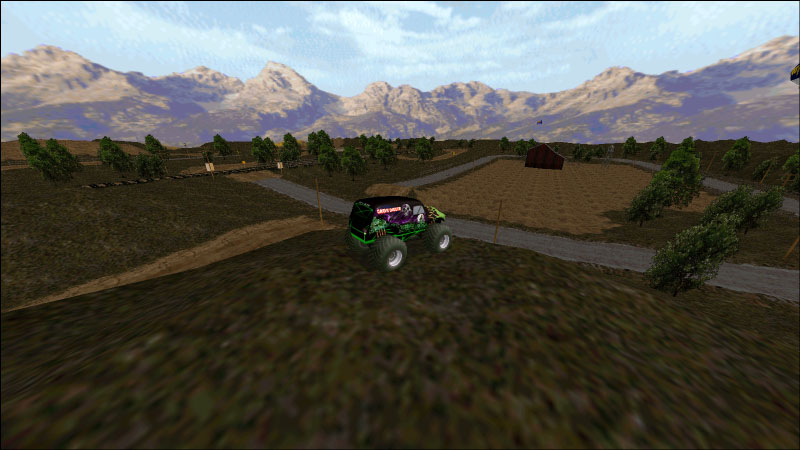
OK ok, enough bragging. Back to serious mode.
So far I have successfully implemented 1024x768 and 1600x900. The latter is 16:9, which is the more important part. The interior cockpit view is still messed up and the fonts + map need resizing to better match the newer resolutions. However, the more sticky point is that when I try to implement 1600x1200 (which is 4:3) the game crashes. I'm still double checking to see whether I screwed up the code somewhere but I'm kinda thinking that Directx5 might not be able to do that resolution. It's really hard to find any proper documentation for what resolutions are supported but I might have to go to DX 7 sooner than expected.
Edit: I know it's not nice to tease you guys but I'm hoping to have things ready to do a late january beta release. Once I have the resolutions in place and working without crashing I'll put it up. The cockpit will be fixed at a later time. Also, from first tests software mode crashes for 1600x900 but direct3d works correctly.
Edit2: Ok something weird just happened. Without me doing anything 1600x1200 started working O_O I am also actively entertaining the idea of scrapping software renderer altogether. This is something that I will decide (and ask you guys to chip in) after I release the next beta version. Either completely scrap it or limit it to 1024x768.
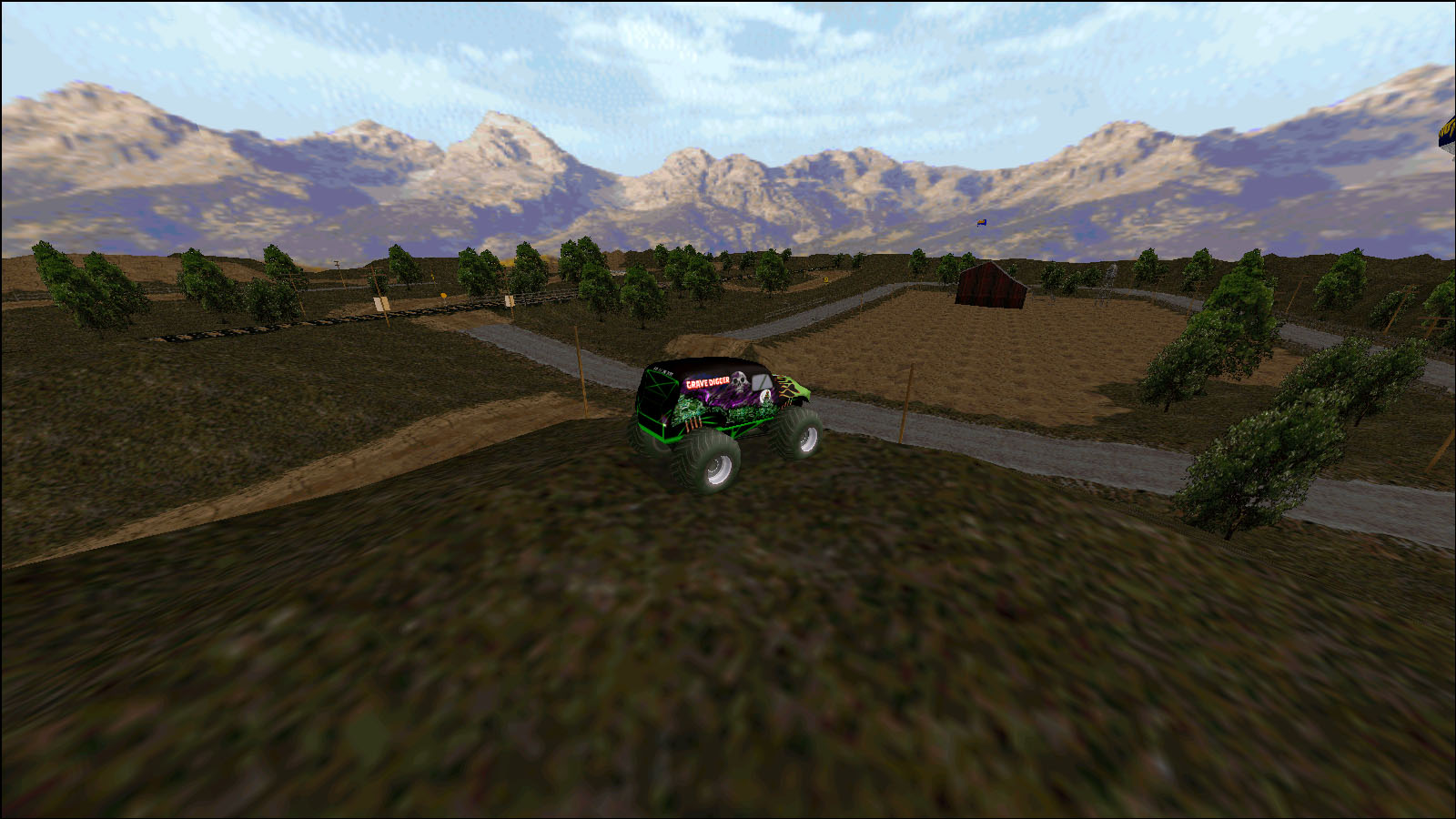
OK ok, enough bragging. Back to serious mode.
So far I have successfully implemented 1024x768 and 1600x900. The latter is 16:9, which is the more important part. The interior cockpit view is still messed up and the fonts + map need resizing to better match the newer resolutions. However, the more sticky point is that when I try to implement 1600x1200 (which is 4:3) the game crashes. I'm still double checking to see whether I screwed up the code somewhere but I'm kinda thinking that Directx5 might not be able to do that resolution. It's really hard to find any proper documentation for what resolutions are supported but I might have to go to DX 7 sooner than expected.
Edit: I know it's not nice to tease you guys but I'm hoping to have things ready to do a late january beta release. Once I have the resolutions in place and working without crashing I'll put it up. The cockpit will be fixed at a later time. Also, from first tests software mode crashes for 1600x900 but direct3d works correctly.
Edit2: Ok something weird just happened. Without me doing anything 1600x1200 started working O_O I am also actively entertaining the idea of scrapping software renderer altogether. This is something that I will decide (and ask you guys to chip in) after I release the next beta version. Either completely scrap it or limit it to 1024x768.
Re: MTM2 Source Code
I'm guessing the 1600x1200 crash could be due to the fact that 1200 is larger than 1024. Just throwing that out blindly in case it is relevant in some way. Then again, maybe not if it works now.
Wait for more opinions besides myself, but I would definitely cut software mode if possible. My 633Mhz Windows ME desktop from early 2001 didn't even have a dedicated graphics card and even that computer was capable of mtm2 graphics acceleration. I guess whether you can actually remove software mode depends on whether you can patch out the software-only viewports (windowed game, driver check-in truck screen, instant replay control panel, winner's circle, etc).
Wait for more opinions besides myself, but I would definitely cut software mode if possible. My 633Mhz Windows ME desktop from early 2001 didn't even have a dedicated graphics card and even that computer was capable of mtm2 graphics acceleration. I guess whether you can actually remove software mode depends on whether you can patch out the software-only viewports (windowed game, driver check-in truck screen, instant replay control panel, winner's circle, etc).